
Key facts
- Brand
- Canon
- Model
- EF 100mm f
- Category
- Other
- Industry
- Electronics
- Documents
- 3
- Languages
- ZH
- Last added
- 2012-03-20
Start here
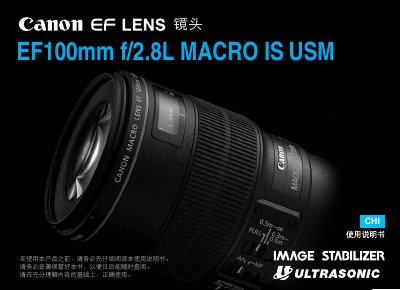
Canon EF 100mm f/2.8L Macro IS USM User Manual
This manual provides essential safety warnings, handling instructions, and detailed operating procedures for the Canon EF 100mm f/2.8L Macro IS USM lens. It explains how to install and remove the lens, set focus modes, and use accessories such as the lens hood and filter.
The document also lists the lens’s technical specifications, including focal length, aperture, construction, filter thread size, and minimum focusing distance, as well as guidance on proper care and maintenance. This manual is written in Chinese.
Canon EF 100mm f specifications
| Focal length | 100 mm |
|---|---|
| Lens construction | 8 groups, 12 elements |
| Dimensions (L×W×H) | 78.6 x 118.6 mm |
All Canon EF 100mm f documents by type
Day-to-day operation, settings and troubleshooting. Start here if the product is already set up.
Questions answered in these manuals
How do I set the lens to autofocus mode?
Set the focus mode switch to AF.
How should the shading ring be installed?
Align the arrow on the shading ring with the lens marking and rotate clockwise to fix it.
Can I look at the sun through this lens?
No, you must not look at the sun or any bright light source through the lens or camera.
How do I attach the lens hood?
Align the red dot on the hood with the lens front marker, then rotate in the indicated direction until the markers line up.
What does IS stand for on this lens?
IS indicates the Image Stabilizer function of the lens.
What is the minimum focusing distance for macro shooting?
The minimum focusing distance is 0.3 m when using the FULL macro mode.