
Key facts
Start here
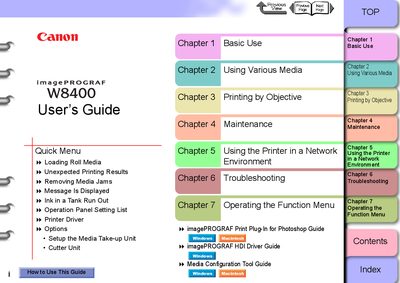
Canon imagePROGRAF W8400 User Manual
This guide covers all aspects of operating the Canon imagePROGRAF W8400 printer, including basic use, loading roll media, printing objectives, routine maintenance, network configuration, and troubleshooting. Each chapter is indexed for quick navigation.
The manual details the printer’s hardware components, such as the printer main unit, roll holder, cutter unit, and maintenance cartridge, and explains how to replace consumables, adjust the printhead, and connect the printer via USB, Ethernet, or other network interfaces.
Canon W8400 specifications
| Maximum resolution | 2400×1200 dpi |
|---|---|
| USB interface | USB 2.0 High‑Speed |
| Network interface | 10BASE‑T/100BASE‑TX |
| IEEE‑1394 interface (optional) | IEEE1394‑a, 6‑pin, no power |
| Replaceable print head | BC‑1350 |
| Nozzle count | 1280 (6 colors) |
| Ink‑cartridge capacity | 330 ml per colour |
| Maximum power consumption | 160 W |
All Canon W8400 documents by type
Day-to-day operation, settings and troubleshooting. Start here if the product is already set up.
Questions answered in these manuals
How do I turn the printer on and off?
Use the power switch on the printer to switch it on (page 1‑7) and off (page 1‑8).
How do I load roll media into the printer?
Insert the roll media into the roll holder slot, align it with the paper alignment line, and close the ejection guide.
How do I turn the printer on?
Press the power button; the power‑on and information LEDs will flash, then the online indicator becomes steady when the printer is ready.
How can I replace an ink cartridge?
Open the right cover panel, remove the used cartridge, and insert the new ink cartridge, then close the cover.