
Key facts
- Brand
- Canon
- Model
- IXUS 860 IS
- Category
- Other Electronics
- Documents
- 2
- Languages
- ZH
- Last added
- 2012-03-20
Start here
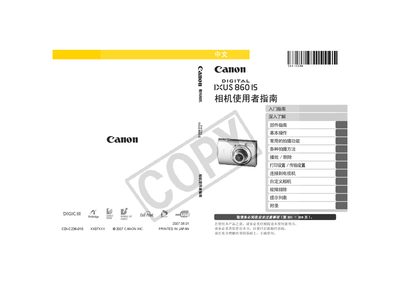
Canon IXUS 860 IS User Manual
This manual guides users through the basic setup of the IXUS 860 IS, including checking the package contents, installing the battery and memory card, and connecting the camera to a TV or computer. It also covers fundamental operations such as taking still photos, recording short videos, and using the playback functions.
Advanced sections describe various shooting modes, custom settings, image stabilization, flash usage, and detailed troubleshooting steps. Safety precautions, warranty information, and a full specifications list are also included. This manual is written in Chinese.
Canon IXUS 860 IS specifications
| Battery type | NB-5L |
|---|---|
| Video output format | Region‑specific video signal format |
| AV cable model | hvc‑DC300 |
Source: Canon IXUS 860 IS User Manual
All Canon IXUS 860 IS documents by type
Day-to-day operation, settings and troubleshooting. Start here if the product is already set up.
Questions answered in these manuals
How do I format the memory card?
Select the format option in the menu (see page 65).
What type of battery does the IXUS 860 IS use?
The camera uses an NB-5L rechargeable battery.