
Key facts
- Brand
- Canon
- Model
- PowerShot S5 IS
- Category
- Digital cameras
- Documents
- 4
- Languages
- EN · ZH · JA
- Last added
- 2012-05-02
Start here
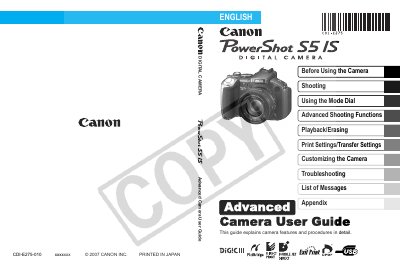
Canon PowerShot S5I Camera User Manual
This guide explains the basic operations of the PowerShot S5I, including using the LCD monitor and viewfinder, setting up shooting modes, and customizing display information. It also covers power‑saving functions, world clock settings, menu navigation, and how to format memory cards.
Advanced sections describe creative shooting functions such as Auto ISO Shift, exposure compensation, focus bracketing, and My Colors mode, as well as playback, editing, printing, and troubleshooting. Battery handling, memory‑card usage, and maintenance procedures are also included.
Canon PowerShot S5 IS specifications
| Optical Zoom | 12x |
|---|---|
| Face Priority AF | Detects faces in a scene |
| Movie Recording | Stereo sound |
| Playback Movies | Stereo sound |
| Red‑Eye Correction | Available |
| Image Stabilizer | Available |
All Canon PowerShot S5 IS documents by type
Day-to-day operation, settings and troubleshooting. Start here if the product is already set up.
Questions answered in these manuals
How can I reduce red‑eye in photos?
Use the Red‑Eye Correction Function.
How do I transfer images to a computer?
Press the Print/Share button to transfer images to a computer.
How can I reduce red‑eye in photos?
Use the Red‑Eye Correction Function (see page 115).
How do I format a memory card?
Select the Formatting Memory Cards option in the menu (see page 37).
How can I print photos directly from the camera?
Press the Print/Share button; the camera supports PictBridge printers, including non‑Canon models.
How can I reset all settings to the factory defaults?
Use the ‘Reset to preset values’ option in the menu to restore default settings.