
Key facts
- Brand
- Canon
- Model
- A10
- Category
- Digital cameras
- Documents
- 4
- Languages
- EN · ZH
- Last added
- 2012-05-02
Start here
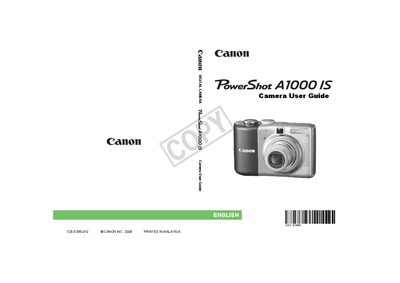
Canon PowerShot A1000 IS Camera User Guide
This guide provides step‑by‑step instructions for getting started with the Canon PowerShot A1000 IS, including inserting batteries and memory cards, setting the date and time, and basic shooting modes. It also covers advanced features such as scene‑specific shooting, image stabilization, and movie recording.
Safety precautions, LCD monitor handling, and warranty information are included, along with troubleshooting tips and contact details for Canon customer support. The manual also references related guides for direct printing and software installation.
Canon A10 specifications
| Image Sensor | 1.32 MP (A10) / 2.11 MP (A20) 1/2.7‑in CCD |
|---|---|
| Lens focal length (35 mm equivalent) | 35 mm – 105 mm (5.4 W – 16.2 T mm) |
| Digital Zoom | Maximum 2.0× (A10) / 2.5× (A20) |
| Optical Viewfinder | Primary imaging real‑image optical zoom viewfinder |
| LCD Monitor | 1.5‑inch TFT color LCD, approx. 120,000 pixels |
| Autofocus points | 3‑point TTL AI‑AF |
| Shutter Speed | 1 – 1/1500 sec (mechanical + electronic) |
| ISO Sensitivity | ISO 100 (auto raised to ISO 150 in low light) |
| White Balance | TTL auto/preset (daylight, cloudy, tungsten, fluorescent) |
All Canon A10 documents by type
Day-to-day operation, settings and troubleshooting. Start here if the product is already set up.
Questions answered in these manuals
What is the maximum digital zoom for each model?
The A10 supports up to 2.0× digital zoom, while the A20 supports up to 2.5× digital zoom.
What does the warranty cover?
The warranty is only effective in the country of sale; if a problem occurs abroad, the camera must be returned to the country of sale before a warranty claim can be made.
What should I do if the LCD monitor shows bright or dark dots?
Occasional non‑performing pixels may appear as bright or dark dots, but the camera is not damaged and the issue does not affect recorded images.
What should be done before using the camera?
You should read the user guide before using the camera.
How do I connect the camera to a printer?
Follow the guide for connecting the camera to a printer before printing.