
Key facts
- Brand
- Canon
- Model
- DC20
- Category
- Other
- Industry
- Electronics
- Documents
- 5
- Languages
- ZH · JA
- Last added
- 2012-03-15
Start here
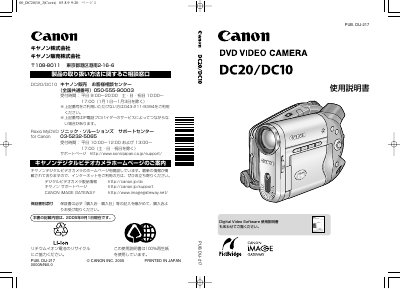
Canon DC20/DC10 User Manual
This manual introduces the Canon DC20/DC10 digital video camera, explaining its basic functions, safety precautions, and the accessories included. It guides users through powering the camera, setting up the LCD, inserting memory cards and DVDs, and selecting shooting modes for both video and still images.
The guide also covers disc handling, including choosing compatible 8 cm DVD‑R or DVD‑RW discs, initializing rewritable discs, finalizing recordings, and creating playlists or photo movies. Troubleshooting tips, service center contact information, and warranty details are provided at the end of the document. This manual is written in Japanese.
Canon DC20 specifications
| Supported disc size | 8 cm |
|---|---|
| Supported disc types | DVD‑R, DVD‑RW |
| Recommended discs | Included disc and Hitachi Maxell HG type discs |
Source: Canon DC20/DC10 User Manual
All Canon DC20 documents by type
Day-to-day operation, settings and troubleshooting. Start here if the product is already set up.
Questions answered in these manuals
Can recorded DVDs be played on standard DVD players?
Yes, recorded discs can be played on standard DVD players in Video mode.
What must be done before first use of a DVD‑RW disc?
The DVD‑RW disc should be initialized before first use.
What disc types can be used with the Canon DC20/DC10?
The camera works with 8 cm DVD‑R (included or purchased) and DVD‑RW (commercial).
Do DVD‑RW discs need to be initialized before use?
Yes, DVD‑RW discs must be initialized before using them in the camera.
What DVD media types can be used with the Canon DC201/210/211?
The machine supports DVD‑R, DVD‑R DL, and DVD‑RW discs.
From: Canon DC201/DC210/DC211 DVD Videography Machine User Manual
How do I initialize a DVD‑RW disc for reuse?
Select the initialization function, which clears all recorded data on the DVD‑RW disc, allowing it to be recorded again.
From: Canon DC201/DC210/DC211 DVD Videography Machine User Manual