
Key facts
- Brand
- Canon
- Model
- A30
- Category
- Digital cameras
- Documents
- 4
- Languages
- EN · ZH
- Last added
- 2012-05-03
Start here
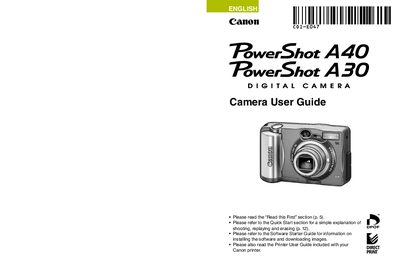
Canon PowerShot A40/A30 Camera User Guide
This guide provides step‑by‑step instructions for getting the PowerShot A40/A30 ready for use, including battery installation, CF card setup, and basic shooting functions. Quick‑start sections help new users begin shooting and reviewing images right away.
Later chapters cover advanced features such as flash operation, ISO settings, video format selection, printing via the included printer guide, and troubleshooting. Appendices include specifications, FCC notices, and warranty information.
Canon A30 specifications
| Effective pixels | ≈12.1 MP |
|---|---|
| Image sensor | 1/2.3‑inch CCD |
| Lens focal length | 6.2‑24.8 mm (35 mm equiv. 35‑140 mm) |
| Optical zoom | ≈4× (up to ~16× combined) |
| LCD screen | 2.7‑inch TFT LCD, ~230,000 dots |
| Shutter speed range | 1‑1/1600 s |
| Battery capacity | 740 mAh |
| Supported storage media | SD, SDHC, SDXC, MMC, MMCplus |
Source: CANONdigital cameraPowerShot A3100IS PowerShot A3000IS Manual
All Canon A30 documents by type
Day-to-day operation, settings and troubleshooting. Start here if the product is already set up.
Questions answered in these manuals
How do I navigate the menus?
The guide includes a section titled “How do I navigate the menus?” that explains menu navigation (see page 4).
Can I use non‑Canon accessories with the camera?
Yes, you may use non‑Canon accessories, but Canon makes no warranties for any damage caused by them.
Why are there bright or dark dots on the LCD monitor?
Occasional non‑performing pixels may appear as bright or dark dots, which is normal and not a malfunction.
Is the camera covered by warranty when used abroad?
The warranty is only effective in the country of sale; for use abroad you must return the camera to the country of sale for warranty service.
How many effective pixels does the camera have?
The camera provides approximately 12.1 million effective pixels.
From: CANONdigital cameraPowerShot A3100IS PowerShot A3000IS Manual
What storage cards are compatible with the camera?
It supports SD, SDHC, SDXC, MMC and MMCplus cards.
From: CANONdigital cameraPowerShot A3100IS PowerShot A3000IS Manual