
Key facts
- Brand
- Canon
- Model
- 5.6L IS USM
- Category
- Digital cameras
- Industry
- Electronics
- Documents
- 4
- Languages
- ZH
- Last added
- 2012-03-20
Start here
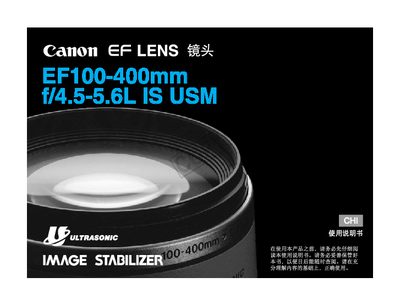
Canon EF100-400mm f/4.5-5.6L IS USM Lens User Manual
This manual explains safe handling of the EF100-400mm lens, including warnings against viewing the sun through the lens and precautions when moving between cold and warm environments. It also details how to install and remove the lens, set focus modes, and adjust the zoom and image‑stabilizer controls.
Operational sections cover focal‑range selection, zoom‑ring resistance adjustment, and the use of the image‑stabilizer modes. The final section lists the lens’s technical specifications such as focal length, aperture range, and physical dimensions. This manual is written in Chinese.
Canon 5.6L IS USM specifications
| Focal length / aperture | 100‑400 mm f/4.5‑5.6 |
|---|---|
| Lens construction | 14 groups, 17 elements |
| Minimum aperture | f/32‑40 |
| Angle of view (diagonal) | 24°‑6°10′ |
| Closest focusing distance | 1.8 m |
| Maximum magnification | 0.2× at 400 mm |
| Filter thread diameter | 77 mm |
| Maximum diameter × length | 92 mm × 189 mm |
| Weight | 1380 g |
| Lens hood model | ET‑83C |
| Lens case model | LZ1324 |
Source: Canon EF100-400mm f/4.5-5.6L IS USM Lens User Manual
All Canon 5.6L IS USM documents by type
Day-to-day operation, settings and troubleshooting. Start here if the product is already set up.
Questions answered in these manuals
How do I correctly install the rear dust‑cover cap?
Align the O‑mark on the dust‑cover with the lens installation mark and turn the cap clockwise; turn counter‑clockwise to remove it.
How should I prevent condensation when moving the lens between cold and warm environments?
Place the lens in a sealed plastic bag before moving it, then let it warm up gradually before use.
How do I attach a front filter to the lens?
Align the filter thread with the lens front and rotate clockwise until snug.
How should I clean the lens's electronic contacts?
Use a soft cloth to gently clean the contacts if they become dirty or fingerprinted.
Can the zoom ring be locked?
Yes, the zoom ring can be locked at the widest‑angle position to prevent the lens from extending during transport.
What does "IS" stand for on the lens?
"IS" indicates Image Stabilizer.