
Key facts
- Brand
- Canon
- Model
- DC220
- Category
- Camcorders
- Industry
- Electronics
- Documents
- 3
- Languages
- EN · ZH
- Last added
- 2012-05-02
Start here
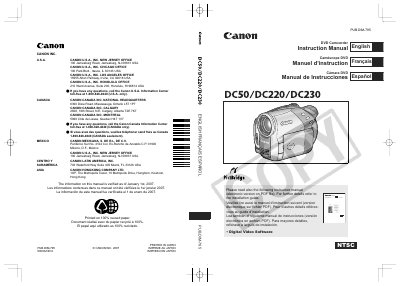
Canon DC50/DC220/DC230 DVD Camcorder Instruction Manual
This manual covers safety instructions, proper use of accessories, and power requirements for the Canon DC50, DC220, and DC230 DVD camcorders. It explains how to select compatible 8 cm mini DVD discs, how to operate recording and playback functions, and how to navigate menus and settings.
Additional sections describe battery charging, wireless control, LCD screen adjustment, and detailed warranty terms for Canon Canada and U.S. customers. The document also includes troubleshooting tips for RF interference and guidance on using the CA‑570 Compact Power Adapter.
Canon DC220 specifications
| Supported DVD disc types | 8 cm mini DVD‑R, DVD‑R DL, DVD‑RW |
|---|---|
| Maximum capacity on DVD‑R DL | up to 2.6 GB |
| Power plug type | Polarized 2‑prong plug |
Source: Canon DC50/DC220/DC230 DVD Camcorder Instruction Manual
All Canon DC220 documents by type
Day-to-day operation, settings and troubleshooting. Start here if the product is already set up.
Questions answered in these manuals
What types of DVD discs can be used with the camcorder?
The camcorder works with 8 cm mini DVD‑R, DVD‑R DL, and DVD‑RW discs.
From: Canon DC50/DC220/DC230 DVD Camcorder Instruction Manual
How do I initialize a DVD‑RW disc?
Insert a new DVD‑RW disc and the camcorder will automatically display an initialization screen; initializing clears all records on the disc.
How can I protect a disc from accidental deletion?
Use the disc protection function to protect the entire disc; even when protected, initializing the disc will still permanently delete all records.
Which DVD disc types can be used with this camcorder?
The camcorder works with three types of 8 cm mini DVD discs: DVD‑R, DVD‑R DL, and DVD‑RW.
How should the camcorder be powered?
Use the CA‑570 small power adapter; using any other device may damage the camcorder.