
Key facts
- Brand
- Canon
- Model
- PowerShot G1
- Category
- Other device
- Documents
- 5
- Languages
- EN · JA · ZH
- Last added
- 2012-05-02
Start here
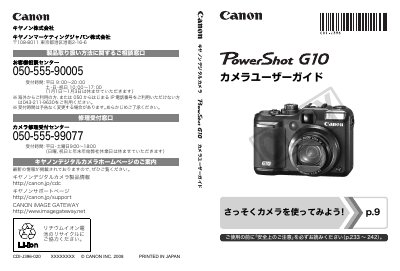
Canon PowerShot G10 User Manual
The guide covers everything from safety precautions and included accessories to basic operation such as taking still photos, viewing images, printing, and recording video. It also explains how to transfer files to a computer, use the LCD display, and customize menu settings.
Advanced sections describe image settings like resolution, compression, ISO, and hand‑shake reduction, as well as flash usage, macro shooting, self‑timer, and how to connect the camera to a TV or external accessories. The appendix provides maintenance tips, accessory usage, and the main specifications of the camera. This manual is written in Japanese.
Canon PowerShot G1 specifications
| Battery | NB-7L (with terminal cover) |
|---|---|
| Battery Charger | CB-2LZ/CB-2LZE |
| Interface Cable | IFC-400PCU stereo AV cable |
| AV Cable | AVC-DC400ST |
All Canon PowerShot G1 documents by type
Day-to-day operation, settings and troubleshooting. Start here if the product is already set up.
Questions answered in these manuals
What should be read before using the camera?
You should read the safety precautions and DPOF notes first.
How can I contact Canon Customer Care?
You can call the Canon Customer Care Center using the phone numbers listed for your region.
What should I do if liquid gets into the camera?
Turn off the camera immediately, remove the battery, and contact Canon customer support.
Which battery is compatible with the camera?
The camera uses an NB‑7L battery with a terminal cover.
Where can I find the safety precautions?
Safety precautions are listed on pages 233 to 242 of the manual.
How can I connect the camera to a TV?
You can connect the camera to a TV using the AV cable as described in the manual.