
Key facts
- Brand
- Brother
- Model
- PT-2430PCz
- Category
- Office Equipment
- Industry
- Electronics
- Documents
- 2
- Languages
- ZH
- Last added
- 2026-11-20
Start here
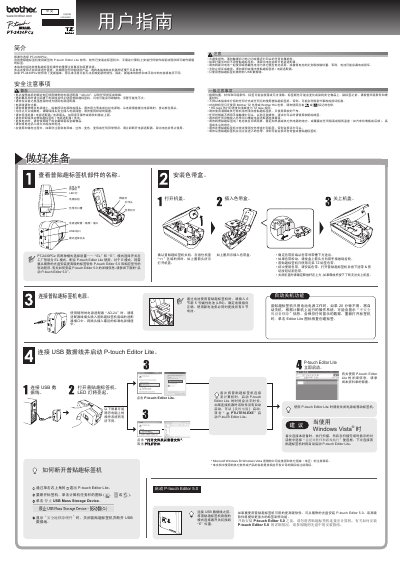
Brother PT-2430PCz P-touch Label Printer User Guide
The Brother PT-2430PCz is a P-touch label printer that utilizes P-touch Editor Lite software installed directly on the device, allowing users to create labels without installing software or drivers on a computer. It supports both TZ and HG tapes and can be powered by an AC adapter or batteries.
The device offers two operating modes: EL mode for P-touch Editor Lite and E mode for the more advanced P-touch Editor 5.0 software. The manual provides instructions on hardware setup, tape replacement, and basic label creation functions. This manual is written in Chinese.
Brother PT-2430PCz specifications
| Dimensions | 67mm (W) x 188mm (L) x 111mm (H) |
|---|---|
| Weight | 570g (without batteries and tape cassette) |
| Power Source | AD-24 AC adapter or 6 AA alkaline batteries (LR6) |
| USB Port | Mini USB Type B |
| Compatible Tapes | Brother TZ (3.5, 6, 9, 12, 18, 24mm) and HG (9, 12, 18, 24mm) |
All Brother PT-2430PCz documents by type
Day-to-day operation, settings and troubleshooting. Start here if the product is already set up.
Questions answered in these manuals
How do I restart P-touch Editor Lite if it was exited while the machine is still on?
You can restart it by turning the machine off and on, disconnecting and reconnecting the USB cable, or starting it from 'My Computer'.
What should I do if the printed labels have stripes or poor character quality?
This usually indicates a dirty print head; clean it using a cotton swab or the optional TZ-CL4 print head cleaning tape.
What power adapter should be used with the PT‑2430PCz?
Use the supplied AD‑24 power adapter to avoid damage or malfunction.
How do I replace the battery in the PT‑2430PCz?
Remove the old battery and insert a new LR06 (alkaline AA) battery.