
Key facts
- Manuals
- 166
- Models
- 32
- Brands
- 29
- Languages
- ZH · EN
- Last added
- 2026-10-01
Office Equipment models by brand
Featured Office Equipment manuals
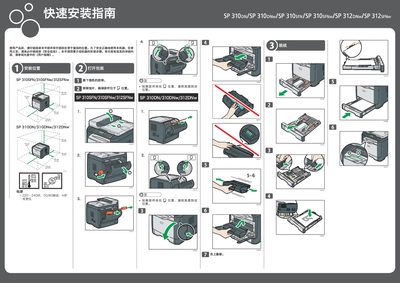
CVW CVW506 Quick Installation Guide
This guide provides step‑by‑step instructions for installing the CVW506 machine. It includes placement of the device, power connection, and initial setup procedures before use.
The document also explains how to install the accompanying software via USB or network, configure telephone and fax connections, select the appropriate line type, and perform basic fax operations such as loading documents, entering numbers, and sending faxes. This manual is written in Chinese.
Covers: Installation Location · Power Requirements · Software Installation · Phone Handset Connection · Telephone Line Type Selection · Fax Function Usage
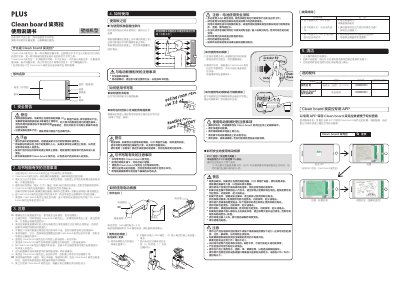
Clean board CLB-600PB & CLB-500EE User Manual
The Clean board CLB-600PB and CLB-500EE are magnetic writing boards that require the proprietary Clean board pen and eraser. The manual provides safety warnings, especially regarding the magnetic components, and detailed instructions for writing, erasing, cleaning, and battery replacement.
Installation guidelines describe wall‑mounting methods for various wall materials, required hardware, and steps to secure the board safely. Parts lists, battery specifications, troubleshooting tips, and FCC compliance information are also included. This manual is written in Chinese.
Covers: Safety warnings · How to use the pen · How to use the electric eraser · Cleaning the board · Battery installation and safety · Installation and mounting
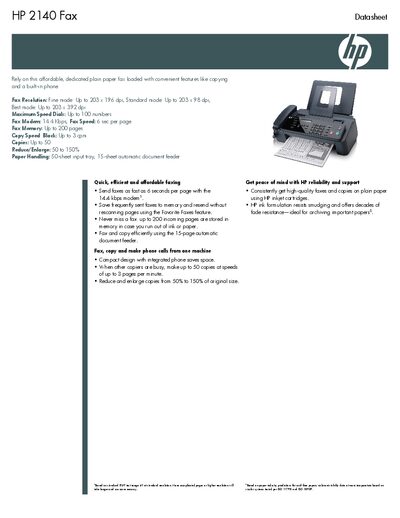
HP 2140 Fax Datasheet
The HP 2140 Fax is an affordable, dedicated plain‑paper fax that also functions as a copier and telephone. It offers fine, standard and best fax resolution modes, a 6‑second per page transmission speed, up to 200 pages of fax memory, and a 15‑page automatic document feeder for efficient handling of documents.
Technical specifications include a 50‑sheet input tray, 14.4 kbps fax modem, up to 50 copies at 3 cpm, power consumption of 15 W (standby 4.9 W), and compliance with FCC, UL and other safety standards. The datasheet also lists operating temperature, humidity ranges, acoustic emissions, and warranty information.
Covers: Technical specifications · Fax features · Copy capabilities · Paper handling · Power and acoustics · Operating environment
SAM4S ER-420M Electronic Cash Register Operation and Program Manual
This manual covers getting started with the ER-420M, safety and servicing precautions, hardware description, and software features. It includes detailed sections on the front and rear displays, error codes, control lock, keyboards, and memory management.
The document also provides extensive programming information such as receipt control, PLU entry methods, tax and discount programming, RS232C communication options, and sample reports for clerks, groups, stock, and open checks.
Covers: Getting Started · Safety Precautions · Hardware Overview · Software Features · Programming Guide · Error Codes
Latest Office Equipment manuals
CVW CVW506 Quick Installation Guide
Quick Start Guide 2 pages · 2.8 MB · ZHQuick installation guide for the CVW506 device, covering setup, software installation, connection settings, and fax usage.
Clean board CLB-600PB & CLB-500EE User Manual
User Manual 2 pages · 3.9 MB · ZHUser manual for Clean board magnetic writing boards CLB-600PB and CLB-500EE, covering safety, operation, cleaning, installation and accessories.
HP 2140 Fax Datasheet
Datasheet 2 pages · 228 KB · ENThe HP 2140 Fax datasheet provides specifications such as fax resolution, speed, memory, copy capabilities, paper handling, power requirements and warranty…
Panasonic WG-AV120 Manual
Panasonic UE-608030 UE-608031 UE-608032 Manual
This document introduces Panasonic's up/down wall mount kit and up/down stand kit, which can allow elite Panaboard to be adjusted to the desired height and install the projector at the top of the stand for use, so that the screen surface will not be blocked by the projector, making the use of elite Panaboard more convenient.
Panasonic UB-5310 Manual
UB-5310 Electronic Whiteboard Operating Instructions, including assembly and installation instructions
Panasonic UB-5315/UB-5815 Manual
Panasonic UB-5838C UB-5338C Manual
This is the operating instructions for Panasonic Electronic Board UB-5838C and UB-5338C
Panasonic UB-8325 Manual
This document is an operating instruction and installation manual for the Panasonic Electronic Board (Interactive Panaboard) Model No. UB-8325. The document provides detailed instructions on assembly, operation, and installation of the equipment. It also emphasizes that the installation should be performed by qualified service personnel and provides contact information for authorized dealers.
Panasonic UB-T780 Manual(1)
UB-T780 Operating Instructions is a user manual of Panasonic Electronic Board (elite Panaboard), which includes product features, installation instructions, and usage methods.
Panasonic UB-T781/UB-T781W/UB-T761 Manual
This document is part of the Panasonic Electronic Board UB-T781 operating instructions, which mainly introduces the characteristics and functions of the product, including electronic pen function, elite Panaboard book software function, etc.
Panasonic UB-T880/UB-T880W Manual
This document is the instruction manual for the Panasonic electronic whiteboard
Panasonic UB-2815C/UB-2315C Manual
This document is the Panasonic Electronic Board product instruction manual, which mainly introduces the product assembly, installation, operation and other content
Panasonic KXPFSU7 Manual
Panasonic KX-PS8000 Manual
Which document do I need?
Quick Start Guide
The shortest path to a working setup, usually only a few pages.
User Manual
Day-to-day operation, settings and troubleshooting. Start here if the product is already set up.
Datasheet
Ratings, dimensions and ordering codes, for selection and design work.
Questions answered in Office Equipment manuals
How do I install the software?
Click the USB Quick Install or Network Quick Install button, then follow the on‑screen prompts; for USB install, connect the USB cable to the computer after the process completes.
Can the pen be used near a pacemaker or other medical devices?
No. The pen contains a magnet and must not be used by anyone with a pacemaker, ICD, or similar medical device.
What batteries does the electric eraser require?
The electric eraser uses two AAA alkaline batteries, which are supplied with the product.
How many pages can the HP 2140 Fax store in memory?
It can store up to 200 pages of incoming faxes.
From: HP 2140 Fax Datasheet
What is the fax transmission speed of the HP 2140 Fax?
The fax speed is 6 seconds per page.
From: HP 2140 Fax Datasheet