
Key facts
- Brand
- Brother
- Model
- J5910DW
- Category
- All-in-one printer
- Documents
- 3
- Languages
- ZH · JA
- Last added
- 2026-10-20
Start here
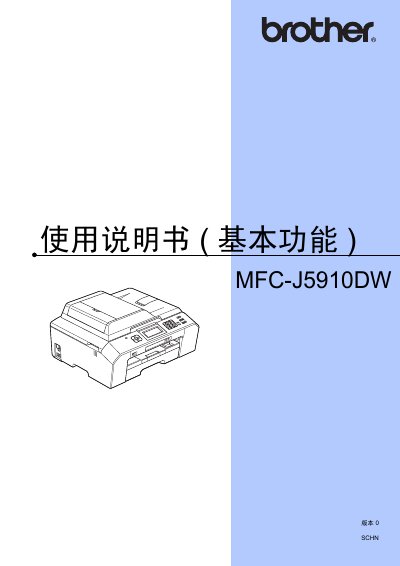
Brother MFC-J5910DW Multifunction Printer User Guide
This user guide covers the basic functions of the Brother MFC-J5910DW multifunction printer. It includes detailed instructions on using the control panel to send and receive faxes, make copies, scan documents to a computer or memory card, and print photos from storage media.
The document also provides guidance on daily maintenance tasks such as replacing ink cartridges and cleaning the scanner glass and print head. Additionally, it offers troubleshooting tips for common issues like paper jams and error messages. This manual is written in Chinese.
Brother J5910DW specifications
| Printer Type | Inkjet Printer |
|---|---|
| Memory Capacity | 64 MB |
| LCD Screen Size | 1.9 inch (49.0 mm) |
| Power Supply | AC 220 ~ 240 V 50/60 Hz |
| ADF Capacity | Up to 35 sheets |
Source: Brother MFC-J5910DW Multifunction Printer User Guide
All Brother J5910DW documents by type
Day-to-day operation, settings and troubleshooting. Start here if the product is already set up.
Questions answered in these manuals
What paper types are supported?
The device supports plain paper, inkjet photo paper (coated), photo paper, transparency film, and envelopes.
How do I replace the ink cartridges?
Refer to section A 'Daily Maintenance' on page 60 for instructions on replacing ink cartridges.
Which Brother models does this network manual cover?
It applies to MFC-J430W, MFC-J625DW, MFC-J825DW and MFC-J5910DW.
From: Brother MFC-J430W/J625DW/J825DW/J5910DW Multi-Function Ethernet Printer Network User Manual
Can the device use wired and wireless networks at the same time?
No. Although it can be used in wired and wireless networks, only one connection method can be used at a time.
From: Brother MFC-J430W/J625DW/J825DW/J5910DW Multi-Function Ethernet Printer Network User Manual
How long can the date and time settings be saved during a power interruption?
They can be saved for 24 hours.
Are menu settings saved if the power is interrupted?
Yes, they are saved even if power is interrupted.