
Key facts
- Brand
- Philips
- Model
- SPJ7100
- Category
- MP3 Player
- Industry
- Electronics
- Documents
- 3
- Languages
- ZH
- Last added
- 2012-03-23
Start here
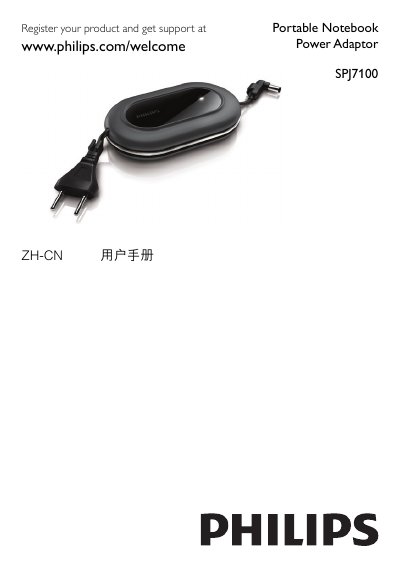
Philips SPJ7100 Portable Notebook Power Adapter User Manual
This manual provides an overview of the Philips SPJ7100 portable notebook power adapter, including the AC power plug, LED indicator, notebook connection cable, and interchangeable notebook connectors. It guides users through selecting the correct connector for their notebook model and safely connecting the adapter to both the notebook and AC outlet.
The document also covers common fault symptoms, such as the adapter not charging or overheating, and offers step‑by‑step troubleshooting. Recycling instructions and compliance with EU RoHS directives are included at the end. This manual is written in Chinese.
Philips SPJ7100 specifications
| Output Voltage | 19V |
|---|---|
| Connector Size | 4.75/1.7 x 12mm |
| Alternative Output Voltage | 16V |
| Alternative Connector Size | 6.5/4.3 (1.4) x 12mm |
| Connector Size (5.5 mm version) | 5.5/2.5 x 12mm |
| Maximum Input Power | >65W |
Source: Philips SPJ7100 Portable Notebook Power Adaptor User Manual
All Philips SPJ7100 documents by type
Day-to-day operation, settings and troubleshooting. Start here if the product is already set up.
Questions answered in these manuals
Why does the LED light up but the notebook does not charge?
The selected connector may not match the notebook; ensure you use the correct connector listed for your notebook model.
From: Philips SPJ7100 Portable Notebook Power Adapter User Manual
What should I do if the adapter becomes hot while charging?
The adapter may be powering a notebook that draws more than 65 W; allow it to cool before continuing use.
From: Philips SPJ7100 Portable Notebook Power Adapter User Manual
Why does the LED light up but my notebook does not charge?
The selected connector may not match your notebook model; verify the connector using the notebook connector list or the manual.
From: Philips SPJ7100 Portable Notebook Power Adaptor User Manual
What should I do if the adaptor becomes hot and stops charging?
The adaptor may be powering a notebook that requires more than 65 W; allow it to cool before reuse.
From: Philips SPJ7100 Portable Notebook Power Adaptor User Manual
What input voltage range does the SPJ7100 accept?
The adapter accepts an input voltage of 100‑240 V.
From: Philips SPJ7100 Laptop Power Supply Adapter User Manual