
Key facts
- Brand
- Philips
- Model
- SA1MXX04W
- Documents
- 6
- Languages
- EN · ZH
- Last added
- 2012-02-28
Start here
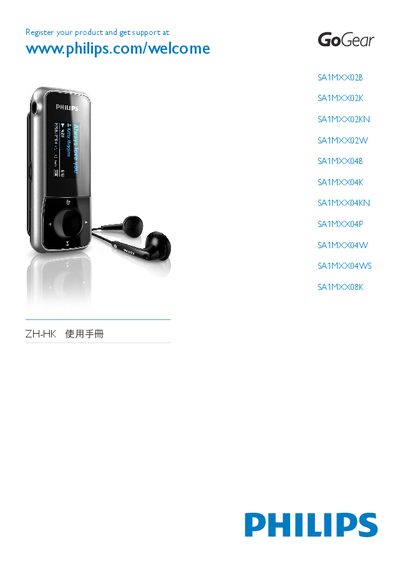
philips SA1MXX02B SA1MXX02K SA1MXX02KN SA1MXX02W SA1MXX04B SA1MXX04K SA1MXX04KN SA1MXX04P SA1MXX04W SA1MXX04WS SA1MXX08K GOGEAR Manual
The guide provides the first steps to register your GoGear Mix device, connect it via USB, and use the Philips Device Manager for music transfer. It also lists supported audio formats and basic playback controls.
Additional sections explain battery status indicators, how to navigate the player’s menu, and troubleshooting tips for common issues such as file compatibility and connection problems.
Philips SA1MXX04W specifications
| Operating temperature | 0 °C to 35 °C |
|---|---|
| Storage temperature | -20 °C to 45 °C |
| Battery type | Built‑in rechargeable battery |
All Philips SA1MXX04W documents by type
Day-to-day operation, settings and troubleshooting. Start here if the product is already set up.
- PHILIPS SA1MXX02B SA1MXX02K SA1MXX02P SA1MXX02W SA1MXX04B SA1MXX04K SA1MXX04P SA1MXX04W SA1MXX04WS SA1MXX08K Manual 21 p
- PHILIPS SA1MXX02B SA1MXX02K SA1MXX02W SA1MXX04B SA1MXX04K SA1MXX04P SA1MXX04W SA1MXX04WS SA1MXX08K ZH-HK Manual
- PHILIPS SA1MXX02B SA1MXX02K SA1MXX02P SA1MXX02W SA1MXX04B SA1MXX04K SA1MXX04P SA1MXX04W SA1MXX04WS SA1MXX08K ZH-CN user manual
- PHILIPS SA1MXX02B SA1MXX02K SA1MXX02W SA1MXX04B SA1MXX04K SA1MXX04P SA1MXX04W SA1MXX04WS SA1MXX08K ZH-CN user manual 20 p
- PHILIPS SA1MXX02B SA1MXX02K SA1MXX02KN SA1MXX02W SA1MXX04B SA1MXX04K SA1MXX04KN SA1MXX04P SA1MXX04W SA1MXX04WS SA1MXX08K user manual 20 p
The shortest path to a working setup, usually only a few pages.
Questions answered in these manuals
How do I charge the GoGear Mix?
Connect the USB cable to the player’s built‑in battery; the first charge should be about 3 hours.
How can I limit the maximum volume on the GoGear Mix?
From the main menu select Settings → Sound Settings → Volume Limit, adjust the level, and confirm.
How many FM preset stations can be stored?
The device can store up to 20 preset FM stations.