
This is a user manual for Digital Voice Tracer, introducing the features and characteristics of the product and how to use it.
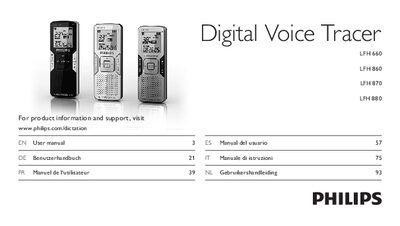
This manual introduces the Philips Digital Voice Tracer series, describing what’s in the box, product highlights, and safety information. It explains how to insert batteries, power the device, set date and time, and navigate the menu.
The guide covers recording with built‑in or external microphones, overlap recording, playback options, FM radio mode (LFH 880), firmware updates, and detailed technical data such as connectivity, recording formats, battery life, and dimensions.
| Connectivity | USB: High‑speed 2.0 mini‑USB |
|---|---|
| Microphone impedance | 2.2 kΩ |
| Headphone impedance | 16 Ω or more |
| Display type | LCD, segment |
| Screen size | 39 mm / 1.5 in. |
| Recording formats | .mp3, .wav (PCM) |
| Battery type | Two Philips AAA alkaline (LR03 or R03) |
| Battery life (SLP mode) | 50 hours |
| Dimensions | 40 × 18.4 × 108 mm (1.6 × 0.7 × 4.3 in.) |
| Weight | 81 g / 2.9 oz. incl. batteries |
The batteries may be out of power or not inserted correctly; replace them and ensure they are properly seated.
If headphones are plugged in, remove them and increase the volume setting.
The device may be in HOLD mode; slide the HOLD switch to the Off position, and check that recording capacity is not full.