
Key facts
- Brand
- Philips
- Model
- HWDCD1888
- Category
- Telephone
- Industry
- Electronics
- Documents
- 6
- Languages
- ZH
- Last added
- 2012-03-23
Start here
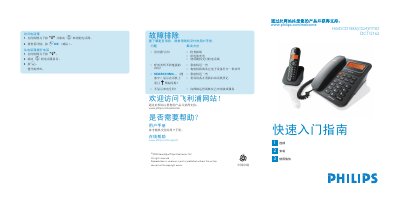
PHILIPS HWDCD1888(C024)P/TSD DCTG162 telephone user guide
This guide shows how to set up the Philips DCTG162 telephone, connect the handset and base, insert the rechargeable AAA batteries, and register the phone line. It includes step‑by‑step instructions for making and receiving calls with both the cordless handset and the wired base.
Additional sections cover storing contacts, selecting ringtones, adjusting volume, and common troubleshooting tips such as no dial tone or unclear speech. A packaging list and safety warnings are also provided. This manual is written in Chinese.
Philips HWDCD1888 specifications
| Battery type | 2 x AAA NiMH rechargeable |
|---|---|
| Maximum dial number length | 24 digits |
| Maximum contact name length | 12 characters |
Source: PHILIPS HWDCD1888(C024)P/TSD DCTG162 telephone user guide
All Philips HWDCD1888 documents by type
Day-to-day operation, settings and troubleshooting. Start here if the product is already set up.
- Philips HWDCD1888(C021)P/TSD DCTG150 Telephone User Manual 2 p
- Philips HWDCD1888(C021)P/TSD DCTG150 Cordless Telephone User Manual 2 p
- Philips HWDCD1888(C019)P/TSD DCTG622 User Manual 41 p
- Philips HWDCD1888(C021)P/TSD DCTG1500 Telephone User Manual 24 p
- Philips HWDCD1888(C021)P/TSD DCTG150 User Manual 38 p
The shortest path to a working setup, usually only a few pages.
Questions answered in these manuals
How can I answer an incoming call?
When the phone rings, press the r key on the handset or lift the handset from the base.
From: PHILIPS HWDCD1888(C024)P/TSD DCTG162 telephone user guide
What should I do if there is no dial tone?
Check the wiring, charge the battery, and use the telephone line that came with the set.
From: PHILIPS HWDCD1888(C024)P/TSD DCTG162 telephone user guide
How do I answer an incoming call?
Press the r key when the phone rings.
From: Philips HWDCD1888(C021)P/TSD DCTG150 Telephone User Manual
How do I delete a voicemail message?
Press the f key to delete the current message.
From: Philips HWDCD1888(C021)P/TSD DCTG150 Telephone User Manual
How can I adjust the handset volume during a call?
Press the : key and select VOLUME 1, VOLUME 2, or VOLUME 3.
From: Philips HWDCD1888(C021)P/TSD DCTG150 Cordless Telephone User Manual
How do I charge the handset battery?
Insert the rechargeable AAA NiMH batteries and charge for 24 hours.
From: Philips HWDCD1888(C021)P/TSD DCTG150 Cordless Telephone User Manual