
Key facts
- Brand
- Philips
- Model
- HP8201
- Category
- Other
- Industry
- Appliances
- Documents
- 4
- Languages
- EN · ZH
- Last added
- 2012-03-06
Start here
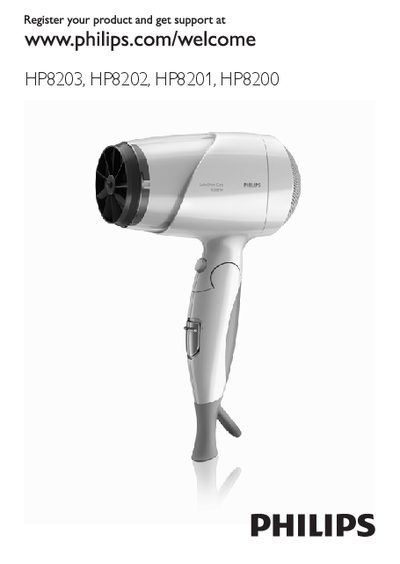
Philips HP8203/HP8202/HP8201/HP8200 Hairdryer User Manual
The manual introduces the Philips SalonShine Care hairdryer series (HP8203, HP8202, HP8201, HP8200) and describes its heat, speed, ion, and airflow settings, as well as optional accessories such as the volume diffuser and concentrator.
It also details important safety warnings, cautions, and proper usage steps, including how to select airflow settings, activate the ion function, and maintain the appliance safely in bathroom environments.
Philips HP8201 specifications
| Constant temperature setting | 57 °C |
|---|---|
| Negative‑ion function | Enabled on HP8203/HP8202 models |
| Recommended RCD protection | 30 mA |
Source: Philips HP8203 HP8202 HP8201 HP8200 Hairdryer User Manual
All Philips HP8201 documents by type
Day-to-day operation, settings and troubleshooting. Start here if the product is already set up.
Questions answered in these manuals
How do I know the ion function is active?
The ion indicator light turns on to show that the ion function has been activated.
From: Philips HP8203/HP8202/HP8201/HP8200 Hairdryer User Manual
What safety precautions should I follow when using the hairdryer in the bathroom?
Do not use the appliance near water, unplug it after use, install a residual current device (RCD), and keep the air grilles unblocked.
From: Philips HP8203/HP8202/HP8201/HP8200 Hairdryer User Manual
How do I register my Philips hairdryer for support?
Visit www.philips.com/welcome and follow the registration instructions.
From: Philips HP8203 HP8202 HP8201 HP8200 Hairdryer User Manual
What steps should I follow after using the hairdryer?
Turn off the product, unplug it, place it on a heat‑resistant surface until cool, clean with a damp cloth, fold, and store in a dry place.
From: Philips HP8203 HP8202 HP8201 HP8200 Hairdryer User Manual
How should the hairdryer be cleaned after use?
Turn off the product, unplug it, let it cool, wipe it with a damp cloth, remove any attachments, and store it in a dry, clean place.
From: Philips HP8203/HP8202/HP8201/HP8200 Hairdryer User Manual
What should I do if the hairdryer stops working?
Check that the power outlet is live, ensure the voltage matches the product label, let the device cool if it overheated, and clear any blockage from the air outlet.
From: Philips HP8203/HP8202/HP8201/HP8200 Hairdryer User Manual