
Key facts
- Brand
- Philips
- Model
- 47PFL9703
- Documents
- 3
- Languages
- EN · SV
- Last added
- 2011-09-16
Start here
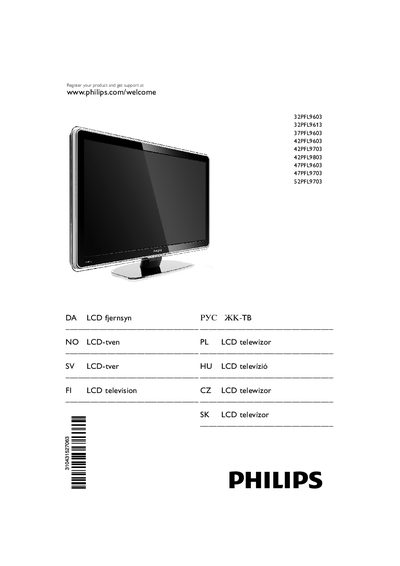
Philips 32PFL9603 37PFL9603 42PFL9603 42PFL9703 42PFL9803 47PFL9603 47PFL9703 52PFL9703 LCD TV User Manual
This manual covers everything needed to set up and operate Philips LCD televisions in the 32‑52PFL series. It includes safety precautions, screen‑care instructions, recycling information, an overview of the TV’s controls, and detailed descriptions of picture, sound and Ambilight features.
The guide also explains how to mount the TV using VESA‑compatible brackets, connect external devices via HDMI, USB, SCART and network ports, and perform basic troubleshooting. Technical data such as display type, resolution, power consumption, dimensions and weight are listed for each model.
Philips 47PFL9703 specifications
| Display type | LCD Full HD W‑UXGA |
|---|---|
| Panel resolution | 1920 × 1080 p |
| Power supply | AC 220‑240 V (±10%) |
| Weight (32" model) | ≈ 19 kg |
| Sound system | Virtual Dolby Digital – BBE Multimedia |
| HDMI ports | HDMI 1‑3 (HDMI 1.3a compatible) |
All Philips 47PFL9703 documents by type
Day-to-day operation, settings and troubleshooting. Start here if the product is already set up.
- Philips 32PFL9603 37PFL9603 42PFL9603 42PFL9703 42PFL9803 47PFL9603 47PFL9703 52PFL9703 LCD TV User Manual 68 p
- PHILIPS 32PFL9603 37PFL9603 42PFL9603 42PFL9703 42PFL9803 47PFL9603 47PFL9703 52PFL9703 Manual(1) 66 p
- PHILIPS 32PFL9603 37PFL9603 42PFL9603 42PFL9703 42PFL9803 47PFL9603 47PFL9703 52PFL9703 Manual 66 p
Questions answered in these manuals
How do I mount the TV on a wall?
The TV is VESA‑compatible; use a bracket that matches the VESA code listed for your screen size and follow the wall‑mounting instructions.
What batteries are required for the remote control?
Insert three AAA‑LR03‑1, 1.5 V batteries, making sure the polarity matches the markings.