
Dell XPS 9333 Quick Start Guide

A quick start guide for Dell laptops.
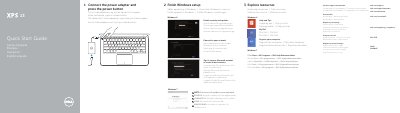

Dell XPS 9333 Quick Start Guide - cover page
Brand
DELL
Category
Laptops
Document type
Quick Start Guide
Language
English
Pages
2
File format
PDF
File size
192 KB
Published
25 November, 2023
Updated
25 November, 2023
MD5 checksum
18DF7886021E2C989A7E8448C66E066A

About this manual

This guide helps you set up your Dell XPS 9333 laptop by connecting the power adapter and pressing the power button. It includes instructions for Windows setup, connecting to a network, and enabling security and updates. The guide also details the laptop’s features, such as the ambient-light sensor, camera, digital microphones, and USB 3.0 ports with PowerShare. It provides shortcut keys for toggling display, wireless, brightness, and audio controls.

What's inside

  • Quick Start Guide
  • Finish Windows Setup
  • Explore Resources
  • Help and Tips
  • Connect to Your Network
  • Features
  • Shortcut Keys

Frequently asked questions

What is the first setup step shown for the XPS 9333?

Connect the power adapter and press the power button.

What symbol should not be used in a Windows 7 password?

Do not use the @ symbol.

How many battery-status lights does the XPS 9333 have?

It has 5 battery-status lights.

What wireless shortcut is listed for the XPS 9333?

It includes a shortcut to turn wireless off or on.

Download PDF (192 KB)

More DELL Manuals


View all DELL manuals →