
Key facts
Start here
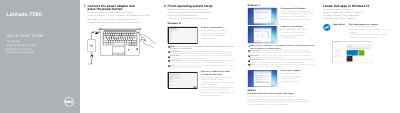
Dell Latitude 7380 Computer Quick Start Guide
This Dell Latitude 7380 Quick Start Guide provides initial setup instructions for the computer, including connecting the power adapter, finishing operating system setup, and connecting to a network.
The guide also describes locating Dell apps, using SupportAssist, and lists product features such as ports, card slots, cameras, and the service tag label. Support and regulatory information are included at the end.
Dell Latitude 7380 specifications
| USB port | USB 3.1 Gen 1 port with PowerShare |
|---|---|
| DisplayPort | DisplayPort over USB Type-C |
| microSD card slot | microSD card slot |
| USIM slot | USIM slot |
| Fingerprint reader | optional |
| NFC sensor | optional |
| Battery charge status light | Battery charge status light |
| Service tag label | Service tag label |
All Dell Latitude 7380 documents by type
The shortest path to a working setup, usually only a few pages.
- Dell Latitude 7380 Computer Quick Start Guide 2 p
- Dell Latitude 7380 Quick Start Guide 2 p
- Dell Latitude 7380 Laptop Quick Start Guide 2 p
- Dell Latitude 7380 Quick Start Guide 2 p
- Dell Latitude 7380 Laptop Quick Start Guide 2 p
- Dell Latitude 7380 Quick Start Guide 2 p
- Dell Latitude 7380 Laptop Quick Start Guide 2 p
- Dell Latitude 7380 Quick Start Guide 2 p
- Dell Latitude 7380 Quick Start Guide 2 p
- Dell Latitude 7380 Laptop Quick Start Guide 2 p
- Dell Latitude 7380 Quick Start Guide 2 p
Disassembly, diagnostics and part numbers, for repair.
Day-to-day operation, settings and troubleshooting. Start here if the product is already set up.
Questions answered in these manuals
How do I start the Dell Latitude 7380?
Connect the power adapter and press the power button.
Where can I find Dell product support and manuals?
Visit Dell.com/support, Dell.com/support/manuals, or Dell.com/support/windows.
What steps must be completed before connecting to a network?
You must connect the power adapter and press the power button, then finish operating system setup.
What is required to connect to a secured wireless network?
You must enter the password for the wireless network access when prompted.
How do I start setting up my Dell Latitude 7380?
Connect the power adapter and press the power button, then finish operating system setup.
What does Windows 10 setup include?
Connect to your network, then sign in to your Microsoft account or create a local account.