
Dell Latitude 7380 Quick Start Guide
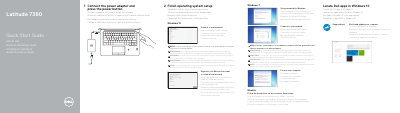
The Dell Latitude 7380 Quick Start Guide explains how to start the laptop for the first time: connect the power adapter, press the power button, and finish operating system setup.
It covers setup for Windows 10, Windows 7, and Ubuntu, including connecting to a network, signing in to a Microsoft account or creating a local account, and setting a Windows password. A numbered features list identifies the camera, microphones, power button, Noble security lock slot, network port, USB 3.1 Gen 1 ports, microSD card slot, USIM slot, headset port, optional fingerprint reader, NFC sensor and smartcard reader, HDMI port, DisplayPort over USB Type-C, power connector port, and service tag label.
| Camera | Optional |
|---|---|
| Infrared (IR) camera | Optional |
| Microphones | Included |
| Power button | Included |
| Security slot | Noble Security Lock Slot |
| Network port | Included |
| USB port with PowerShare | USB 3.1 Gen 1 |
| Memory card slot | microSD card slot |
| USIM slot | Included |
| Headset port | Included |
| Fingerprint reader | Optional |
| NFC sensor | Optional |
| Smartcard reader | Optional |
| Video port | HDMI port |
| DisplayPort | Over USB Type-C (optional Thunderbolt 3) |
| Power connector port | Included |
| Service tag label | Included |
Connect the power adapter and press the power button, then finish operating system setup.
Connect to your network, then sign in to your Microsoft account or create a local account.
Enter the password for the wireless network access when prompted.
Visit Dell.com/support or Dell.com/support/manuals, and use Dell.com/contactdell to contact Dell.