
The Latitude 7380 Quick Start Guide provides instructions on how to connect the power adapter, finish operating system setup, connect to a network, and sign in to your Microsoft account or create a local account.
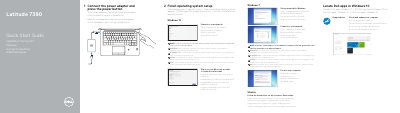
This document serves as a multilingual quick start guide for the Dell Latitude 7380 laptop. It provides step-by-step instructions for initial setup, including connecting the power adapter, configuring the operating system (Windows 10, Windows 7, or Ubuntu), and connecting to a network. Special notes are included for securing wireless networks and creating local accounts.
| Product Support URL | Dell.com/support |
|---|
Enter the password for the wireless network access when prompted.
The guide instructs users to locate Dell apps in Windows 10 after setup, though specific steps are not detailed in this text.