
The Latitude 7380 Quick Start Guide provides information on how to use the Latitude 7380 laptop.
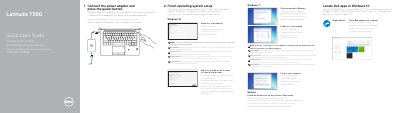
The Dell Latitude 7380 Quick Start Guide helps users set up the laptop by connecting the power adapter, pressing the power button, and completing setup for Windows 10, Windows 7, or Ubuntu. It also covers network connection, Microsoft account sign-in, local account creation, and Windows password setup.
The guide explains how to locate Dell apps in Windows 10 and use SupportAssist to check and update the computer. Page 2 lists features and ports including cameras, microphones, power button, Noble Security Lock Slot, network port, USB 3.1 Gen 1 ports, microSD and USIM slots, headset port, fingerprint reader, NFC sensor, speakers, touchpad, HDMI port, DisplayPort over USB Type-C, power connector port, and service tag label.
| Model | Latitude 7380 |
|---|---|
| USB port | USB 3.1 Gen 1 port with PowerShare |
| DisplayPort | DisplayPort over USB Type-C |
| Network port | Network port |
| microSD card slot | microSD card slot |
| Power connector port | Power connector port |
| Noble Security Lock Slot | Noble Security Lock Slot |
| Battery charge status light | Battery charge status light |
Connect the power adapter and press the power button.
Enter the password for the wireless network access when prompted.
Follow the instructions on the screen to finish setup.
Use SupportAssist to check and update your computer.