
The Dell Latitude 7380 Quick Start Guide provides instructions on how to connect the power adapter, finish operating system setup, connect to a network, and sign in to your Microsoft account or create a local account.
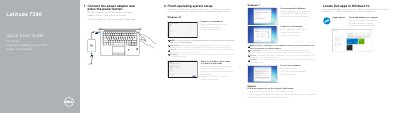
This document serves as a multilingual quick start guide for the Dell Latitude 7380 laptop. It provides step-by-step instructions for initial setup, including connecting the power adapter, finishing the operating system setup (Windows 10, Ubuntu, or Windows 7), connecting to a network, and signing into a Microsoft account. The guide includes specific notes for secured wireless networks and locating Dell apps.
| Regulatory model | P28S |
|---|---|
| Computer model | Latitude 7380 |
Enter the password for the wireless network access when prompted.
Locate Dell apps in Windows 10 by following the instructions on the screen.