
The Brother TD2020/TD2130N/TD2030BK Quick Reference Guide provides setup, operation, and troubleshooting steps for the thermal label printer.
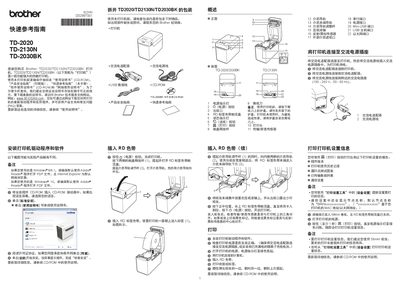
This guide covers the Brother TD2020, TD2130N, and TD2030BK thermal label printers, describing their main features and the accessories included in the package. It is intended to help users quickly get the printer up and running and to provide basic maintenance and troubleshooting information.
Key sections include power connection, driver installation, loading the RD ribbon and 58 mm roll paper, printing settings, troubleshooting common errors, and procedures for resetting the printer or performing routine maintenance. This manual is written in Chinese.
| Supported Roll Width | 58 mm |
|---|
Turn the printer off, then hold the Feed button and the Power button until the Power LED turns orange and the Status LED flashes green. While holding Power, press the Feed button six times, then release the Power button. The printer will reset to factory defaults.
A red flashing status indicator signals an error. Press the Power button once; if the problem persists, turn the printer off and on again. If the error continues, contact Brother service support.