
Key facts
- Brand
- TP-Link
- Model
- TL-WPA4220
- Category
- Other Electronics
- Documents
- 2
- Languages
- EN
- Last added
- 2023-11-22
Start here
TL-WPA4220/TL-WPA2220 300Mbps AV500/AV200 WiFi Powerline Extender
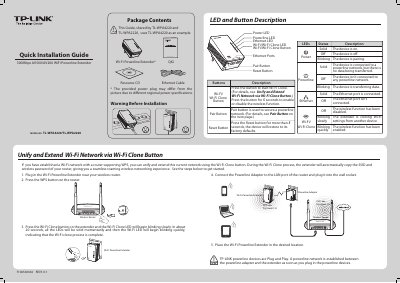
This document serves as a Quick Installation Guide for the TP-Link TL-WPA4220 and TL-WPA2220 300Mbps AV500/AV200 WiFi Powerline Extenders. It provides instructions on unifying and extending a Wi-Fi network using the Wi-Fi Clone button and establishes a powerline network by plugging the device into a wall socket. The guide includes descriptions of LED indicators and buttons, as well as a diagram illustrating the connection between the extender, a powerline adapter, and a wireless router.
Read onlineTP-Link TL-WPA4220 specifications
| Data Rate | 300Mbps |
|---|---|
| Wi-Fi Standard | AV500/AV200 |
| Model Numbers | TL-WPA4220/TL-WPA2220 |
Source: TL-WPA4220/TL-WPA2220 300Mbps AV500/AV200 WiFi Powerline Extender
All TP-Link TL-WPA4220 documents by type
The shortest path to a working setup, usually only a few pages.
Questions answered in these manuals
How do I unify and extend my Wi-Fi network?
Press the Wi-Fi Clone button on the extender to automatically copy the SSID and wireless password of your router.
From: TL-WPA4220/TL-WPA2220 300Mbps AV500/AV200 WiFi Powerline Extender
What does the Wi-Fi Clone LED indicate?
The Wi-Fi Clone LED blinks slowly while cloning, becomes solid momentarily, and then blinks quickly when the process is complete.
From: TL-WPA4220/TL-WPA2220 300Mbps AV500/AV200 WiFi Powerline Extender
How do I reset the extender to factory defaults?
Press the Reset button for more than 5 seconds.
From: TP-Link TL-WPA4220/TL-WPA2220 300Mbps AV500/AV200 WiFi Powerline Extender Quick Installation Guide
What should I do if the Powerline LED does not light up?
Check the listed troubleshooting steps, including rescanning powerline devices, trying another adapter, using a wall socket, re-pairing, and resetting.
From: TP-Link TL-WPA4220/TL-WPA2220 300Mbps AV500/AV200 WiFi Powerline Extender Quick Installation Guide