
Key facts
- Brand
- Philips
- Model
- 708
- Industry
- Electronics
- Documents
- 17
- Languages
- DE · EN · ZH
- Last added
- 2026-11-23
Start here
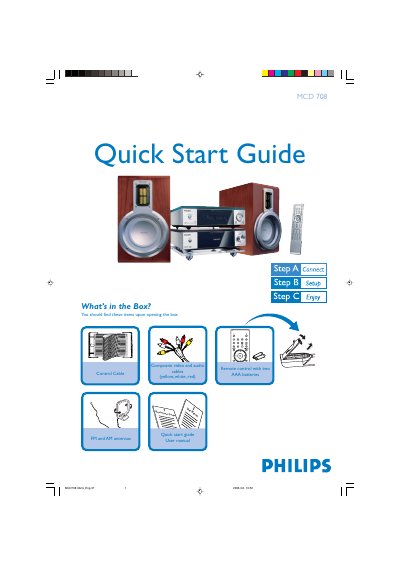
Philips MCD 708 Quick Start Guide
The guide begins with a checklist of items included in the box, such as the remote control, composite video/audio cables, FM and AM antennas, and a control cable. It then walks you through connecting the composite cables to a TV, attaching the power cords, and linking the speaker cables and antennas.
Subsequent sections cover setting the clock using the remote, playing a disc, and programming radio stations. Tips for progressive‑scan TV setups and additional functions are referenced to the full user manual.
Philips 708 specifications
| Rated input voltage range | 220...240 Vac |
|---|---|
| Output voltage | 30...40 Vdc |
| Output current | 0.7 / 0.8 A |
| Output power | 21...32 W |
| Efficiency | 85.1 / 84.8 % |
| Length | 224 mm |
| Width | 31 mm |
| Weight | 155 gram |
| Ambient temperature | -20...+35 ºC |
| Driver lifetime | 50,000 hours |
| Ingress Protection classification (IP) | IP 20 |
| Approval marks | CE / CQC / ENEC / RCM / SELV |
| Mounting type | Track mounting |
Source: Philips Xitanium 32W/a 0.7/0.8A 40V 3CG 230V LED Driver Datasheet
All Philips 708 documents by type
Day-to-day operation, settings and troubleshooting. Start here if the product is already set up.
- Philips PROMCD 708 User Manual 4 p
- Philips OLED708 Series TV User Manual 86 p
- Philips 55OLED708 65OLED708 OLED708 Series User Manual 75 p
- Philips PET708 Portable DVD Player User Manual 29 p
- Philips TAPR802 SPN7040/7041 SPN7060/7061 SPN7080/7081 Surge Protector User Manual 7 p
- Philips SCF702/704/706/708 Baby Feeding Set User Manual 2 p
- Philips PET708 Portable DVD Player User Manual 2 p
- Philips SCF 702 SCF 704 SCF 706 SCF 708 Baby Food Warmer User Manual 2 p
- Philips SCF702/704/706/708 Baby Bottle User Manual 2 p
- Philips MCD708 DVD Micro Theatre User Manual 37 p
- Philips MCD708 DVD Micro Theatre User Manual 37 p
- Philips MCD708 DVD Micro Theatre User Manual 37 p
Ratings, dimensions and ordering codes, for selection and design work.
The shortest path to a working setup, usually only a few pages.
Questions answered in these manuals
How do I connect the PROMCD 708 to my TV?
Connect the composite video (yellow) and audio (white/red) cables, SCART cable, and antennas. Then connect the power cables last.
What items are included in the Philips PROMCD 708 package?
The package includes a user manual, a quick start guide, a composite video cable, an audio cable, a remote control with batteries, an FM and MW antenna, a control cable, and a SCART cable.
What happens if I do not put my TV in standby mode regularly?
You will regularly receive on-screen messages notifying you that the display needs to execute a clean-up process.
How long should I avoid displaying the same still image on the screen?
You should not display any still image continuously or display the same image for more than 10 minutes.
What output current can the Xitanium driver provide?
It provides 0.7 / 0.8 A, manually selectable between 700 and 800 mA.
From: Philips Xitanium 32W/a 0.7/0.8A 40V 3CG 230V LED Driver Datasheet
What is the rated input voltage range?
The rated input voltage range is 220...240 Vac.
From: Philips Xitanium 32W/a 0.7/0.8A 40V 3CG 230V LED Driver Datasheet