
Key facts
- Brand
- Philips
- Model
- DVP3350
- Category
- Video Player
- Industry
- Electronics
- Documents
- 7
- Languages
- EN · IT · ZH
- Last added
- 2026-11-24
Start here
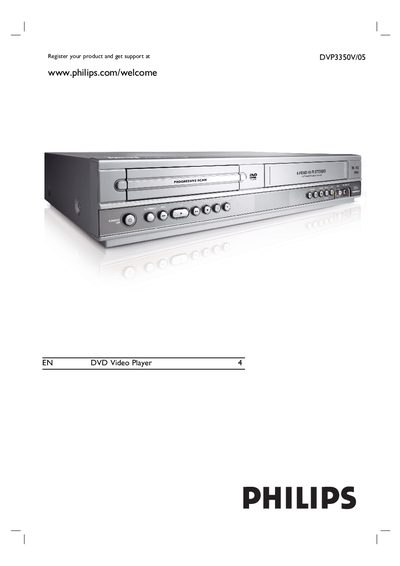
Philips DVP3350V/05 DVD Video Player User Manual
This manual begins with safety precautions, warning about electric shock, laser class, and proper ventilation. It then guides you through connecting the mains plug, installing batteries in the remote, and setting up the unit for DVD or VCR operation.
The document details remote‑control functions, menu navigation, disc handling, cleaning, and maintenance. A full specification table lists power requirements, dimensions, laser type, and audio/video outputs, followed by troubleshooting and service information.
Philips DVP3350 specifications
| Video D/A converter | 12-bit, 108 MHz |
|---|---|
| Audio D/A converter | 24-bit, 192 kHz |
| Video enhancement | Progressive scan, video upsampling |
| MP3 bit rates | 32 - 320 kbps |
| Power consumption | < 10 W |
All Philips DVP3350 documents by type
Day-to-day operation, settings and troubleshooting. Start here if the product is already set up.
Questions answered in these manuals
What formats can the Philips DVP3350 play?
It plays CD, (S)VCD, DVD, DVD+R/RW, DVD-R/RW, DivX, MP3, WMA, and JPEG. The player also supports DivX certified standard playback of DivX videos.
What can be played over Hi-Speed USB 2.0?
The Hi-Speed USB 2.0 Link can play video and music from USB flash drives. Media Copy can transfer photos and music to USB flash drives.
What safety warning applies to the Philips DVP3350/DVP3354 laser product?
The product uses a Class 1 laser and the manual warns about visible and invisible laser radiation when the open and interlock is defeated. Do not stare into the beam.
What laser safety classification is listed for the Philips DVP3350/DVP3354 DVD player?
The product is listed as a Class 1 laser product.
How do I replace the fuse in the mains plug?
Remove the fuse cover and the old fuse, then install a BS1362 5 Amp approved fuse and refit the cover.
How should I clean the surface of the DVD player?
Wipe with a soft, dry cloth; for heavy dirt use a soft cloth lightly moistened with mild detergent, avoiding solvents.