
Key facts
- Brand
- Philips
- Model
- MCM108/MCM108B/MCM108C
- Category
- Home Speakers
- Industry
- Electronics
- Documents
- 5
- Languages
- EN · ZH
- Last added
- 2026-11-26
Start here
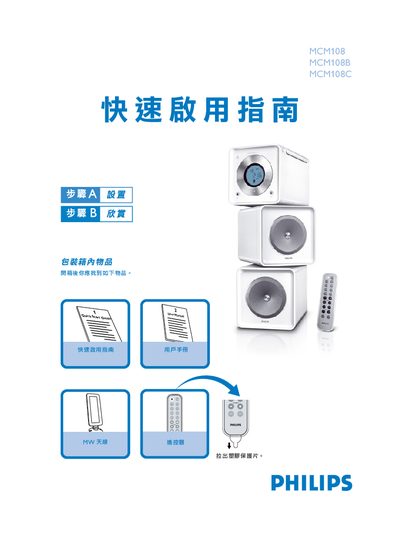
PHILIPS MCM108 MCM108B MCM108C quick start using Service Manual(1)
This guide walks you through the initial setup of the Philips MCM108 computer audio system. It includes unboxing, connecting the power cord, FM and AM antennas, and speaker wires to the appropriate ports.
The document also explains how to set the clock, select audio sources such as CD or AUX, operate the remote control, and play a CD using the OPEN/CLOSE and PLAY buttons. Additional notes on remote‑control operation and troubleshooting are provided. This manual is written in Chinese.
Philips MCM108/MCM108B/MCM108C specifications
| Supplied accessories | 2 speaker boxes, remote control with 1 x CR2032 battery, MW loop antenna |
|---|---|
| Voltage selector preset | 220V from the factory |
| Clearance from rear and top | at least 10 cm (4 inches) |
| Clearance from each side | 5 cm (2 inches) |
| Remote control battery | lithium CR2032 |
Source: Philips MCM108/MCM108B/MCM108C Micro Hi-Fi System User Manual
All Philips MCM108/MCM108B/MCM108C documents by type
Day-to-day operation, settings and troubleshooting. Start here if the product is already set up.
The shortest path to a working setup, usually only a few pages.
Questions answered in these manuals
What voltage is the system preset to from the factory?
The voltage selector located at the rear of the system is preset at 220V from the factory.
From: Philips MCM108/MCM108B/MCM108C Micro Hi-Fi System User Manual
What accessories are supplied with the system?
The system is supplied with 2 speaker boxes, a remote control with 1 x CR2032 battery, and an MW loop antenna.
From: Philips MCM108/MCM108B/MCM108C Micro Hi-Fi System User Manual
How do I turn the system on or off?
Press the Standby button to power the system on or off.
How can I select the audio source?
Press the Source button to cycle through CD, Tuner, and AUX inputs.
How do I connect the speakers to the MCM108?
Connect the speaker wires to the SPEAKERS port on the unit.
From: PHILIPS MCM108 MCM108B MCM108C quick start using Service Manual(1)
How do I play a CD with the MCM108?
Press the OPEN/CLOSE button on the top of the unit to open the CD door, insert a disc with the label side up, close the door, then press the PLAY button to start playback.
From: PHILIPS MCM108 MCM108B MCM108C quick start using Service Manual(1)