
Key facts
- Brand
- Motorola
- Model
- VIP1200系列
- Industry
- Electronics
- Documents
- 2
- Languages
- PT · EN
- Last added
- 2026-11-21
Start here
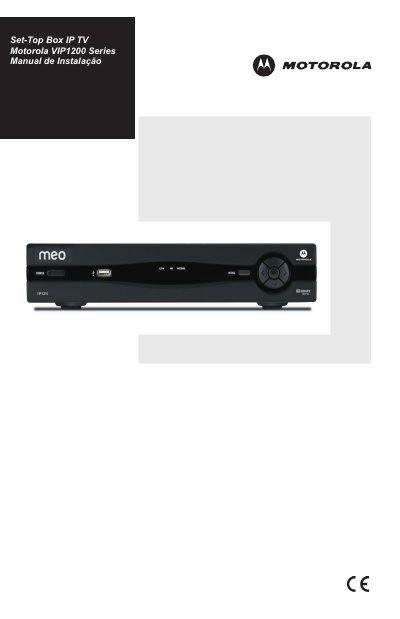
Motorola VIP1200 Series IP TV Set-Top Box Installation Guide
This document provides installation instructions and safety guidelines for the Motorola VIP1200 Series IP TV set-top box. It includes warnings about electrical safety, proper ventilation, and installation location to prevent overheating or damage. Users are advised to follow all safety precautions and use only approved accessories.
The guide also covers software licensing terms, RoHS compliance, and regulatory standards such as EN 60950-1 and IEC 60950-1. It emphasizes that the device should not be used in aviation or nuclear applications and that unauthorized modifications void user authorization. This manual is written in Portuguese.
Motorola VIP1200系列 specifications
| HDMI output | Connects to a High‑Definition TV or home theater receiver |
|---|---|
| Network Ethernet | 10/100Base‑T RJ‑45 port for IP video output |
| USB 2.0 connector | Front‑panel and rear‑panel USB 2.0 ports |
| Component video output (Y Pb Pr) | RCA component video outputs to an HDTV |
| Optical (Toslink) audio output | S/PDIF digital audio to a home theater receiver |
| RCA audio output | Left and right stereo audio outputs |
| Power indicator | Green light when the receiver is on |
| HD indicator | Blue light when receiving a High‑Definition program |
All Motorola VIP1200系列 documents by type
Mounting, wiring and first power-up. Read it before the hardware goes in.
Questions answered in these manuals
Can I modify or repair this device myself?
No, only qualified technicians should perform maintenance. Do not open the unit or make unauthorized modifications.
From: Motorola VIP1200 Series IP TV Set-Top Box Installation Guide
What is the product called?
Motorola VIP1200 Series IP TV Set-Top Box.
From: Motorola VIP1200 Series IP TV Set-Top Box Installation Guide
How do I turn the VIP1200 on or off?
Press the POWER button on the front panel; a short press (less than five seconds) toggles power, while holding for five seconds or longer restarts the receiver.
What should I do if the TV receiver will not power on?
Verify the AC power cord is connected, plug the receiver back into the outlet, and press the POWER button. Also check that the outlet is not switched and that the remote’s batteries are not depleted.