
This document describes the features and functions of the EtherFast® 10/100 Managed Network Adapter network adapter, including installation instructions and usage instructions.
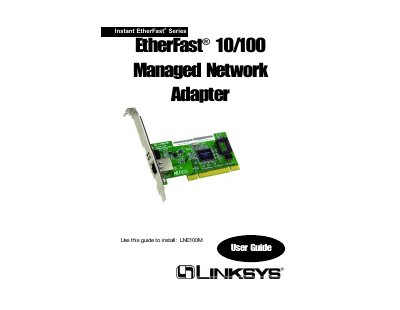
The EtherFast®10/100 Managed Network Adapter is a plug‑and‑play PCI network card that auto‑negotiates between 10 Mbps and 100 Mbps Ethernet speeds. It includes management features such as Wake‑On‑LAN, 802.1Q VLAN support, 802.1p QoS tagging, and full‑duplex operation up to 200 Mbps.
This guide walks you through unpacking the adapter, installing it in a PCI slot, connecting the RJ‑45 cable, and installing the device drivers using the supplied Setup Utility CD. It also covers the configuration utility, diagnostics, troubleshooting tips, warranty terms, and FCC compliance information.
| Interface Speed | 10/100 Mbps auto‑negotiating |
|---|---|
| Full‑Duplex Capability | Up to 200 Mbps |
| Wake‑On‑LAN | Remote power‑on capability |
| VLAN Support | 802.1Q |
| QoS Tagging | 802.1p |
Linksys guarantees the adapter is free from physical defects in material and workmanship for the lifetime of the adapter, provided you have proof of purchase.
Insert the Setup Utility CD and follow the Install Wizard steps shown in the guide to install the adapter’s drivers.