
Key facts
Start here
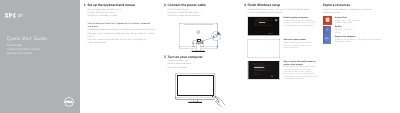
Dell XPS 2720 Quick Start Guide
This quick start guide covers initial setup of the Dell XPS 2720, including connecting the power cable, turning on the computer, completing Windows setup, enabling security and updates, signing in, connecting to a network, and exploring available resources.
It also lists the computer's features and ports, including the wireless keyboard/mouse receiver, and provides product support, contact, regulatory, and safety information.
Dell XPS 2720 specifications
| Computer model | XPS 2720 |
|---|---|
| Regulatory model | W06C |
| Input voltage | 100 V AC-240 V AC |
| Input frequency | 50 Hz-60 Hz |
| Input current | 3.60 A |
| Country of origin | Made in China |
| USB 3.0 ports | 4 and 2 |
| Wireless keyboard/mouse receiver | Feature 20 |
Source: Dell XPS 2720 Quick Start Guide
All Dell XPS 2720 documents by type
The shortest path to a working setup, usually only a few pages.
Disassembly, diagnostics and part numbers, for repair.
Day-to-day operation, settings and troubleshooting. Start here if the product is already set up.
Questions answered in these manuals
Where can I find product support and manuals?
Product support and manuals are available through Dell's support pages, including dell.com/support and dell.com/support/manuals.
What is the computer model described in this guide?
The computer model is XPS 2720.
What are the regulatory model and type?
The regulatory model is W06C and the regulatory type is W06C002.
How do I create recovery media?
In Windows search, type Recovery, click Create a recovery media, and follow the instructions on the screen.
Where can I find Dell support and manuals?
Dell support and manuals are available at Dell.com/support, Dell.com/support/manuals, and Dell.com/support/windows.