
The Dell XPS 27 Quick Start Guide provides information on how to set up the keyboard and mouse, connect the power cord, press the power button, and finish Windows setup.
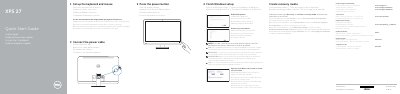
This Dell XPS 2720 quick start guide covers initial setup steps such as connecting the keyboard and mouse, connecting the power cable, finishing Windows setup, enabling Dell updates, connecting to a network, signing in to a Microsoft account, and creating recovery media.
It also provides a numbered feature diagram identifying parts such as the microphones, camera, optical drive, USB 3.0 ports, HDMI ports, network port, and optional Thunderbolt port, along with support, manual, and regulatory information.
| Microphones | 2 |
|---|---|
| USB 3.0 ports (first group) | 2 |
| USB 3.0 ports (second group) | 4 |
| Thunderbolt port | Optional |
| Computer model | XPS 2720 |
| Regulatory model | W06C |
| Regulatory type | W06C002 |
In Windows search, type Recovery, click Create a recovery media, and follow the instructions on the screen.
Dell support and manuals are available at Dell.com/support, Dell.com/support/manuals, and Dell.com/support/windows.
The XPS 2720 has two microphones.
The Thunderbolt port is optional.