
This document is a quick start guide for the Dell XPS 27 computer. It provides information on how to set up the keyboard and mouse, connect the power cord, turn on the power, and finish Windows setup.
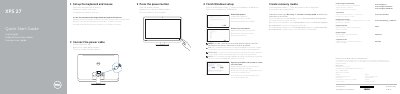
This quick start guide covers initial setup of the Dell XPS 2720, including setting up the keyboard and mouse, connecting the power cable, finishing Windows setup, enabling Dell updates, connecting to a network, and signing in to or creating an account.
It also explains how to create recovery media, lists product support resources, and provides a labeled features diagram showing controls, ports, and optional Thunderbolt connectivity.
| Input voltage | 100-240 V AC |
|---|---|
| Input frequency | 50-60 Hz |
| Input current | 3.60 A |
In Windows search, type Recovery, click Create a recovery media, and follow the instructions on the screen.
Enter the password for the wireless network access when prompted.
Visit Dell.com/support and Dell.com/support/manuals.