
Key facts
- Brand
- DELL
- Model
- Dell Edge Gateway 5000 Series
- Category
- Other network devices
- Documents
- 10
- Languages
- EN · ZH · ES
- Last added
- 2023-11-24
Start here
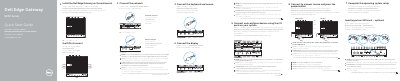
Dell Edge Gateway 5000 Series Quick Start Guide
This quick start guide shows how to install the Dell Edge Gateway 5000 Series on a wall or DIN rail mount and connect a micro-SIM card, wireless antenna, network cable, display, keyboard, mouse, and power source. It also notes setup steps such as enabling RS232/RS422/RS485 ports with DIP switches and completing operating system setup.
The guide includes a labeled features list for ports and status LEDs, plus product support, manual, regulatory, and safety references for the Dell Edge Gateway 5000.
Dell Edge Gateway 5000 Series specifications
| Computer model | Dell Edge Gateway 5000 |
|---|---|
| Power adapter ports | +24 V AC/DC or +19 VDC |
| Micro-SIM card slot | Optional |
| CANbus port | Optional |
All Dell Edge Gateway 5000 Series documents by type
The shortest path to a working setup, usually only a few pages.
- Dell Edge Gateway 5000 Series Quick Start Guide 2 p
- Dell Edge Gateway 5000 Series Quick Start Guide 2 p
- Dell Edge Gateway 5000 Series Quick Start Guide 2 p
- Dell Edge Gateway 5000 Series Quick Start Guide 2 p
- Dell Edge Gateway 5000 Series Quick Start Guide 2 p
- Dell Edge Gateway 5000 Series Quick Start Guide 2 p
- Dell Edge Gateway 5000 Series Quick Start Guide 2 p
Disassembly, diagnostics and part numbers, for repair.
Questions answered in these manuals
Should the micro-SIM card be inserted before powering on?
Yes, the guide recommends inserting the micro-SIM card before powering on the Dell Edge Gateway.
Are the wireless antenna, keyboard, and mouse included?
No, peripherals such as the wireless antenna, keyboard, and mouse are sold separately.
Is the micro-SIM card required before powering on?
The micro-SIM card is optional, but it is recommended to insert it before powering on the Dell Edge Gateway.
Are the wireless antenna, keyboard, and mouse included?
No, peripherals such as the wireless antenna, keyboard, and mouse are sold separately.
Should the micro-SIM card be inserted before powering on?
It is recommended to insert the micro-SIM card before powering on the Dell Edge Gateway.
Are the wireless antenna, keyboard, and mouse included?
The peripherals like wireless antenna, keyboard, and mouse are sold separately.