
Dell Edge Gateway 5000 Series Quick Start Guide

Dell Edge Gateway Quick Start Guide.
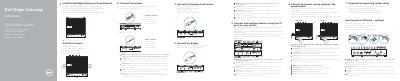

Dell Edge Gateway 5000 Series Quick Start Guide - cover page
Brand
DELL
Category
Other Electronics
Document type
Quick Start Guide
Language
English
Pages
2
File format
PDF
File size
397 KB
Published
19 November, 2023
Updated
19 November, 2023
MD5 checksum
6FB025A05E66DBE3470E5928E336C336

About this manual

This document provides a quick start guide for the Dell Edge Gateway 5000 Series. It includes instructions for inserting the optional micro-SIM card, connecting the wireless antenna, and mounting the device on a wall or DIN rail. The guide also details how to connect the keyboard, mouse, and power source.

What's inside

  • Inserting micro-SIM card
  • Connecting wireless antenna
  • Mounting the device
  • Connecting keyboard and mouse
  • Connecting to power source
  • Completing OS setup
  • Device features
  • LED status indicators

Specifications

Power adapter port voltage+24V AC/DC or +19 VDC
Regulatory modelN01G
Output voltage24 V AC/V CC; 19,5 V CC

Frequently asked questions

Should I insert the micro-SIM card before powering on the device?

Yes, it is recommended to insert the micro-SIM card before powering on the Dell Edge Gateway.

Are the peripherals sold separately?

Yes, peripherals like the wireless antenna, keyboard, and mouse are sold separately.

Download PDF (397 KB)

More DELL Manuals


View all DELL manuals →