
The Dell Edge Gateway Quick Start Guide provides information on how to set up and use the Dell Edge Gateway.
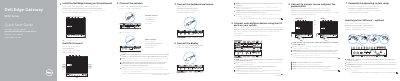
This quick start guide covers initial setup of the Dell Edge Gateway 5000 Series, including inserting an optional micro-SIM card, connecting wireless antennas, network, display, keyboard, mouse, power, and I/O devices, plus wall or DIN rail mounting and operating system setup.
It also identifies the gateway's ports and status LEDs, notes that some peripherals and the power adapter are sold separately, and provides product support, manual, and regulatory information.
| Power input | +24 V AC/DC or +19 VDC |
|---|---|
| Micro-SIM card slot | Optional |
| CANbus port | Optional |
| Regulatory model | N01G |
| Computer model | Dell Edge Gateway 5000 |
The micro-SIM card is optional, but it is recommended to insert it before powering on the Dell Edge Gateway.
No, peripherals such as the wireless antenna, keyboard, and mouse are sold separately.
The power cable can be connected to the +24V AC/DC or +19 VDC power adapter port, and the power adapter is sold separately.
Product support and manuals are available through Dell.com/support and Dell.com/support/manuals.