
The Dell Edge Gateway Quick Start Guide provides information on how to install and use the Dell Edge Gateway.
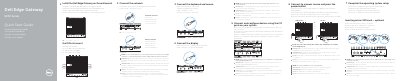
This multilingual quick start guide covers initial setup of the Dell Edge Gateway 5000 Series, including optional micro-SIM insertion, network and display connections, wall or DIN rail mounting, I/O device configuration, operating system setup, keyboard and mouse connection, and power-on steps.
It also identifies the gateway's ports and status LEDs and provides regulatory, safety, and product support information for the Dell Edge Gateway 5000.
| Power adapter ports | +24V AC/DC or +19 VDC |
|---|---|
| Ports | USB 2.0, USB 3.0, HDMI, RS232, RS422/485, RS485, CANbus (optional), network, wireless/mobile broadband antenna, micro-SIM slot (optional), and expansion ports |
| Regulatory model | N01G |
| Regulatory type | N01G001 |
| Computer model | Dell Edge Gateway 5000 |
It is recommended to insert the micro-SIM card before powering on the Dell Edge Gateway.
The peripherals like wireless antenna, keyboard, and mouse are sold separately.
The power adapter is sold sold separately.
Turn on the corresponding dip switches to enable the corresponding RS232/RS422/RS485 ports.