
Dell Edge Gateway 5000 Series Quick Start Guide

The Dell Edge Gateway Quick Start Guide introduces the features and characteristics of the Dell Edge Gateway product.
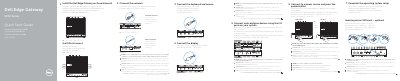

Dell Edge Gateway 5000 Series Quick Start Guide - cover page
Brand
DELL
Category
Industrial Robot
Document type
Quick Start Guide
Language
English
Pages
2
File format
PDF
File size
520 KB
Published
19 November, 2023
Updated
19 November, 2023
MD5 checksum
62334CF2B8DC3C35ADA326A53E064940

About this manual

This document provides a quick start guide for the Dell Edge Gateway 5000 Series. It covers the initial setup process, including inserting an optional micro-SIM card, connecting the wireless antenna, and mounting the device on a wall or DIN rail. The guide also details how to connect peripherals like keyboards and mice, and how to attach the power adapter.

What's inside

  • Inserting micro-SIM card
  • Connecting wireless antenna
  • Mounting the device
  • Connecting peripherals
  • Connecting to power
  • Operating system setup
  • Port features
  • LED status indicators
  • Product support
  • Regulatory compliance

Specifications

Power adapter port voltage+24V AC/DC or +19 VDC
Video outputHDMI
Network connectivityNetwork port

Frequently asked questions

Should I insert the micro-SIM card before powering on the device?

Yes, it is recommended to insert the micro-SIM card before powering on the Dell Edge Gateway.

Are the wireless antenna, keyboard, and mouse included?

No, the peripherals like wireless antenna, keyboard, and mouse are sold separately.

Which power adapter ports are supported?

The device supports the +24V AC/DC or +19 VDC power adapter port.

Download PDF (520 KB)

More DELL Manuals


View all DELL manuals →