
Key facts
Start here
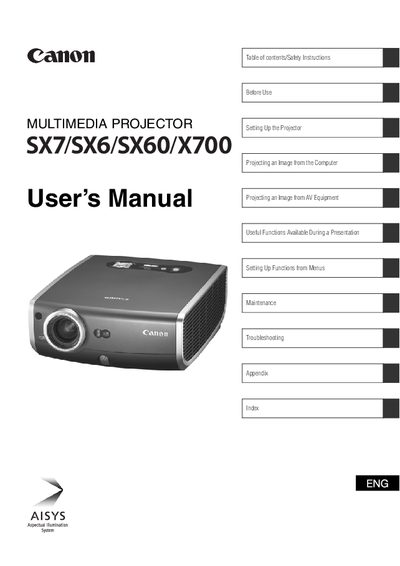
Multimedia SX7/SX6/SX60/X700 Multimedia Projector User's Manual
This document serves as a comprehensive guide for the Multimedia SX7/SX6/SX60/X700 series of multimedia projectors. It covers essential safety precautions, including warnings about electric shock and ventilation requirements to prevent fire hazards or equipment damage.
The manual details the complete setup process, from installing the projector and connecting it to computers or AV equipment to adjusting image settings like focus, keystone distortion, and aspect ratio. It also includes instructions for using useful presentation functions such as muting sound, freezing images, and zooming.
Canon SX7 specifications
| Brightness | 3700 lumens |
|---|---|
| Contrast Ratio | 1000:1 |
| Lamp Power (SX7) | 275 W |
| Maximum Input Resolution | 1600 × 1200 |
| Weight (SX7) | 4.8 kg |
| Dimensions | 266 mm × 114 mm × 336 mm |
| Operating Temperature | 5 °C to 35 °C |
All Canon SX7 documents by type
Day-to-day operation, settings and troubleshooting. Start here if the product is already set up.
Questions answered in these manuals
What should I do if the projector is not operating correctly?
Read the manual again, check operations and cable connections, try solutions in the Troubleshooting section, or contact the service center.
From: Multimedia SX7/SX6/SX60/X700 Multimedia Projector User's Manual
What safety clearance distance must be maintained around the projector?
You must maintain a minimum clear space of 1 meter (3.3 feet) above, beside, and behind the projector cabinet to allow for air circulation.
From: Multimedia SX7/SX6/SX60/X700 Multimedia Projector User's Manual
What safety precautions should I follow before cleaning the projector?
Unplug the projector from the AC outlet, do not use liquid or aerosol cleaners, and clean the exterior with a dry or slightly damp cloth.
What lamp types are used in the SX7, SX6, and SX60 models?
The SX7 uses a 275 W high‑pressure lamp, the SX6 a 270 W high‑pressure lamp, and the SX60 a 180 W high‑pressure lamp.