
Key facts
- Brand
- Yamaha
- Model
- PM5D
- Category
- Musical instruments
- Industry
- Industrial
- Documents
- 11
- Languages
- EN · ZH
- Last added
- 2012-07-02
Start here
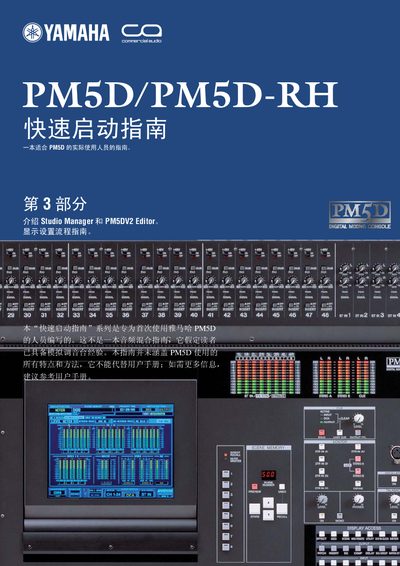
YAMAHA PM5D/PM5D-EH Manual
This guide introduces the Yamaha PM5D/PM5D‑RH digital mixing console and walks users through the initial setup, connection, and basic workflow. It explains the three main sections: an overview of connections and functions, storage and recall of scenes, and the use of Studio Manager and PM5DV2 Editor software.
The document also provides system requirements for the companion software, instructions for installing and configuring Studio Manager, and tips for remote control, scene linking, and merging multiple band sessions on a PC. This manual is written in Chinese.
Yamaha PM5D specifications
| MIDI cables required | 2 |
|---|---|
| Memory card or USB memory needed | Required for M7CL and LS9 |
| Studio Manager software | Required for data transfer |
Source: Yamaha PM5D(RH), M7CL, LS9, DM2000, DM1000, 02R96, 01V96 Redundancy Guide
All Yamaha PM5D documents by type
Day-to-day operation, settings and troubleshooting. Start here if the product is already set up.
- YAMAHA PM5D/PM5D-RH V2 DSP5D owner's manual(1) 409 p
- Yamaha PM5D/PM5D-RH V2/DSP5D Digital Mixing System User Manual 408 p
- YAMAHA PM5D/PM5D-RH V2 DSP5D owner's manual 409 p
- Yamaha PM5D Digital Mixing Console V1.20 Supplementary Manual 4 p
- Yamaha PM5D V1.12 Supplementary Manual 4 p
- Yamaha PM5D V1.10 Supplementary Manual 2 p
- Yamaha PM5D V1.05 Supplementary Manual 2 p
- YAMAHA PM5D Editor user manual 65 p
- Yamaha PM5D/PM5D-RH Digital Mixing Console Owner's Manual 367 p
How to use the product for one specific task, with worked examples.
The shortest path to a working setup, usually only a few pages.
Questions answered in these manuals
What is the product described in this manual?
This document covers a digital mixing console and system.
How should the power cord be handled to prevent damage?
Protect the power cord from being walked on or pinched, especially at plugs and where it exits the apparatus.
Does this product comply with EU RoHS regulations?
Yes, the product conforms to the RoHS regulations in the EU.
From: Yamaha PM5D/PM5D-RH V2/DSP5D Digital Mixing System User Manual
What specific safety precaution must be taken regarding the power cord?
You must protect the power cord from being walked on or pinched, especially at plugs and where it exits the apparatus.
What should you do with this apparatus during lightning storms?
You must unplug this apparatus during lightning storms or when unused for long periods of time.
What is the purpose of the 'USE ENCODER-ON AS +48V' option?
This option allows you to use the ENCODER [ON] key to turn phantom power supply (+48V) on/off when HA (head amp input sensitivity) is selected as the encoder mode.
From: Yamaha PM5D Digital Mixing Console V1.20 Supplementary Manual