
Key facts
- Brand
- Panasonic
- Model
- TC-32LX60D
- Category
- Television
- Industry
- Appliances
- Documents
- 2
- Languages
- ZH
- Last added
- 2011-09-26
Start here
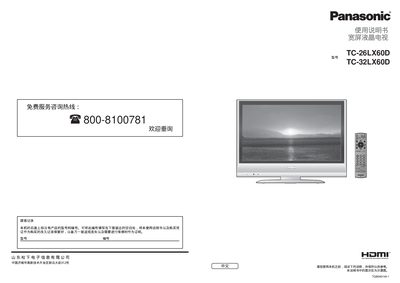
Panasonic TC-26LX60D / TC-32LX60D Television User Manual
This manual provides safety precautions, maintenance tips, and step‑by‑step instructions for basic and advanced functions of the Panasonic TC‑26LX60D and TC‑32LX60D widescreen LCD televisions. It covers initial setup, auto‑tuning, channel editing, and how to use external devices such as HDMI‑controlled equipment.
The document also includes a technical information section with specifications, a detailed FAQ for common problems, and guidance on proper installation, mounting, and accessory selection. This manual is written in Chinese.
Panasonic TC-32LX60D specifications
| Average Power Consumption | 109 W |
|---|---|
| Standby Power | 0.9 W |
| Screen Size (TC‑26LX60D) | 66.1 cm × 80.0 cm |
| Speaker Size | 12 cm × 6 cm (2 pcs, 4 Ω) |
| Audio Output Power | 14 W (7 W + 7 W) |
| HDMI Input Voltage | 5 V (RMS) |
Source: Panasonic TC-26LX60D / TC-32LX60D Television User Manual
All Panasonic TC-32LX60D documents by type
Day-to-day operation, settings and troubleshooting. Start here if the product is already set up.
Questions answered in these manuals
What is the recommended way to install the wall‑mount bracket?
Use the Panasonic‑specified wall‑mount bracket (TY‑WK32LR2W) and follow the installation instructions in the bracket manual; professional installation is advised.
From: Panasonic TC-26LX60D / TC-32LX60D Television User Manual
How do I perform automatic channel tuning?
Open the menu, select “Automatic Tuning”, choose the appropriate broadcast standard for your region, and follow the on‑screen prompts to store the channels.
What should I do if the TV makes no sound?
Ensure the volume is not set to the minimum, check that the speaker mode is not muted, and verify the audio input source is correctly connected.