
Key facts
Start here
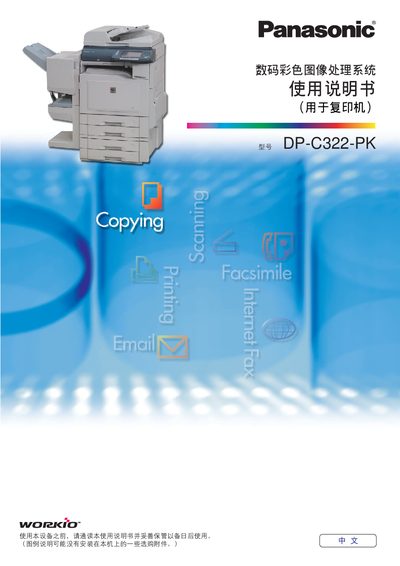
Panasonic DP-C322-PKdigital color Image treatment system Manual( Copier)
This manual describes the operation of the Panasonic DP-C322-PK digital color image treatment system (copier). It includes sections on basic operation, color mode selection, duplex printing, ADF usage, and the meaning of symbols used on the control panel. The document also lists the software and hardware components supplied with the machine.
The guide explains how to set up paper sizes, adjust copy counts, change color modes (full color, black‑white, two‑color, monochrome), and perform double‑sided copying. It provides step‑by‑step instructions for loading originals, using the ADF, and handling error messages, as well as a brief troubleshooting reference. This manual is written in Chinese.
Panasonic DP-C322-PK specifications
| CPU Requirement | Pentium II or higher |
|---|---|
| Minimum RAM | 128 MB (Win 98/Me) or 256 MB (Win 2000/XP/NT 4.0/Server 2003) |
| Network Interface | 10Base‑T/100Base‑TX Ethernet port |
Source: Panasonic DP-C322-PK User Manual
All Panasonic DP-C322-PK documents by type
Day-to-day operation, settings and troubleshooting. Start here if the product is already set up.
Questions answered in these manuals
What is the maximum number of copies that can be set?
The copier can be set to copy up to 999 copies at a time.
From: Panasonic DP-C322-PKdigital color Image treatment system Manual( Copier)
How can I print double‑sided (duplex) copies?
Select the duplex printing mode; the manual provides steps under the "双面揚印模式" section.
From: Panasonic DP-C322-PKdigital color Image treatment system Manual( Copier)
What protocol does the network configuration editor use?
It uses the FTP protocol to edit the settings of connected devices.
What are the minimum memory requirements?
At least 128 MB of RAM for Windows 98/Me and 256 MB for Windows 2000, XP, NT 4.0, and Server 2003.
Which Windows operating systems are supported?
Supported operating systems include Windows 98, Windows Me, Windows NT 4.0, Windows 2000, Windows XP, and Windows Server 2003.
What is the minimum memory required for Windows 98 and Windows Me?
A minimum of 128 MB of RAM is required for Windows 98 and Windows Me.