
Key facts
Start here
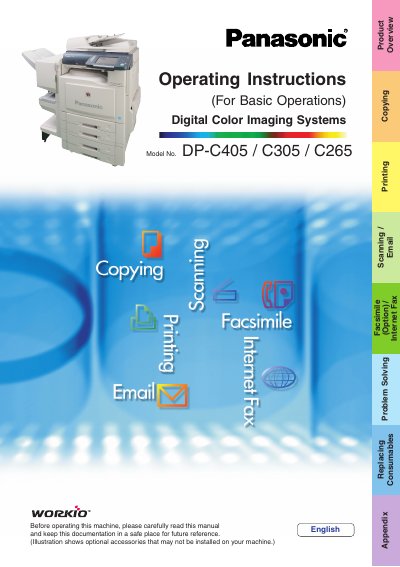
Panasonic DP-C405/C305/C265 Digital Color Imaging Systems Operating Instructions
This manual provides essential information for the basic operation of the Panasonic DP-C405/C305/C265 Digital Color Imaging Systems. It covers core functions including copying with creative features, printing from SD Memory Cards or PCs, scanning to email, and sending faxes via Internet Fax (if equipped). The guide also details how to set up the machine using the included CD-ROMs for advanced settings.
Read onlineAll Panasonic DP-C405 documents by type
Day-to-day operation, settings and troubleshooting. Start here if the product is already set up.
- Panasonic DP-C405/C305/C265 Digital Color Imaging Systems Operating Instructions 112 p
- Panasonic DP-C405/C305/C265 Digital Color Imaging Systems Operating Instructions 100 p
- Panasonic DP-C405/C305/C265 Digital Color Imaging Systems Operating Instructions 100 p
- Panasonic DP-C405/C305/C265 Digital Color Imaging Systems Operating Instructions 62 p
- Panasonic DP-C405/C305/C265 Digital Color Imaging Systems Installation Overview and Operating Instructions 48 p
Questions answered in these manuals
What file formats can be printed directly from the SD Memory Card?
You can print files in TIFF or PDF format, as well as pictures in JPEG format.
From: Panasonic DP-C405/C305/C265 Digital Color Imaging Systems Operating Instructions
Can I use a PCMCIA card to print?
Yes, you can use a commercially available Type II 3.3V PCMCIA/PC Card adapter.
From: Panasonic DP-C405/C305/C265 Digital Color Imaging Systems Operating Instructions
What is the maximum number of copies that can be made in a single job?
The machine allows you to enter up to 999 copies for a single job.
From: Panasonic DP-C405/C305/C265 Digital Color Imaging Systems Operating Instructions
How many sheets of Letter paper can the Automatic Document Feeder hold when copying face up?
The feeder holds up to 100 sheets of 20 lb Letter paper.
From: Panasonic DP-C405/C305/C265 Digital Color Imaging Systems Operating Instructions
What is the maximum number of copies that can be made at once?
The machine allows you to enter a desired number of copies up to 999.
From: Panasonic DP-C405/C305/C265 Digital Color Imaging Systems Operating Instructions
How many sheets can be placed in the ADF for copying?
You can place up to 100 sheets (20 lb/Letter) face up or face down.
From: Panasonic DP-C405/C305/C265 Digital Color Imaging Systems Operating Instructions