
Key facts
- Brand
- Panasonic
- Model
- DMC-TZ50
- Documents
- 2
- Languages
- EN · JA
- Last added
- 2012-02-13
Start here
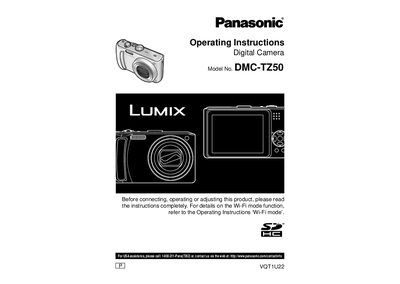
Panasonic DMC-TZ50 Digital Camera User Manual
This manual explains how to set up and use the Panasonic DMC‑TZ50 digital camera, covering battery installation, charging, memory card handling, and basic shooting functions. It also includes safety warnings, FCC compliance information, and guidance for using accessories such as the charger, USB cable, and optional lenses.
Detailed sections describe menu navigation, scene modes, zoom operation, flash usage, and how to transfer images to a computer or TV. Troubleshooting tips, warranty details, and a list of optional accessories are provided for both everyday users and service technicians.
Panasonic DMC-TZ50 specifications
| Battery type | Lithium ion/polymer rechargeable battery |
|---|---|
| Battery charger input voltage | 110 V – 240 V AC |
| Optical zoom | 10× optical zoom |
All Panasonic DMC-TZ50 documents by type
Day-to-day operation, settings and troubleshooting. Start here if the product is already set up.
Questions answered in these manuals
How do I charge the battery for the first time?
The battery is not charged when shipped; insert it into the supplied charger and charge it before first use.
Can I use the charger with any voltage source?
In the U.S. and Canada the charger must be connected to a 120 V AC supply; elsewhere use a plug adaptor for the local voltage.
What is required to use the BB Mobile Point service?
You need a paid BB Mobile Point ID and password; the ID must be recorded before repair and re‑entered after service.
How can I set the login ID and password for LUMIX CLUB PicMate?
In Wi‑Fi mode, go to Wi‑Fi設定, select WEBアルバム設定, and enter the login ID (email) and password as instructed.