
This guide is about a business internet camera with audio, providing information on the features and characteristics of the product.
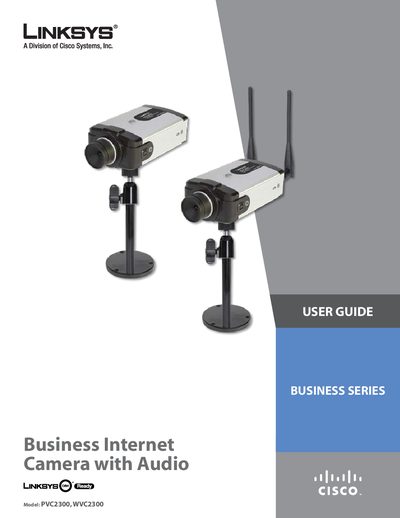
This user guide provides detailed instructions for the Linksys Business Internet Video Camera with Audio, covering two models: the PVC2300 (PoE) and the WVC2300 (wireless). It includes hardware installation, network setup, software usage, and advanced configuration options.
The document also lists technical specifications, lens options, and regulatory information, along with troubleshooting tips and warranty details.
| Power over Ethernet (PoE) | Supported on PVC2300 |
|---|---|
| Minimum CPU (basic setup) | Pentium 4 class, 2 GHz |
| Minimum Memory (basic setup) | 512 MB |
| Minimum Hard Drive (basic setup) | 500 MB of available space |
| Minimum Graphics Card (basic setup) | AGP with at least 128 MB |
| Minimum CPU (up to 8 cameras) | Pentium 4 class, 3 GHz dual‑core |
| Minimum Memory (up to 8 cameras) | 1 GB |
| Minimum Hard Drive (up to 8 cameras) | 4 GB of available space |
| Minimum Graphics Card (up to 8 cameras) | Minimum 256 MB |
| Lens option – Tamron 3‑8 mm Varifocal | Varifocal lens for PVC2300/WVC2300 |
| Lens option – Tamron 3‑11 mm Varifocal | Varifocal lens for PVC2300/WVC2300 |
| Lens option – Tamron 5‑50 mm Varifocal | Varifocal lens for PVC2300/WVC2300 |
| Lens option – Fujinon 3‑8 mm Varifocal | Varifocal lens for PVC2300/WVC2300 |
| Lens option – Fujinon 3‑11 mm Varifocal | Varifocal lens for PVC2300/WVC2300 |
| Lens option – Fujinon 5‑50 mm Varifocal | Varifocal lens for PVC2300/WVC2300 |
The PVC2300 can be powered via Power over Ethernet (PoE), allowing installation where a power outlet is not available.