
This is a Linksys SGE2000/SGE2000P Gigabit Ethernet Switch Administration Guide, which introduces the basic functions, usage methods and installation methods of the device
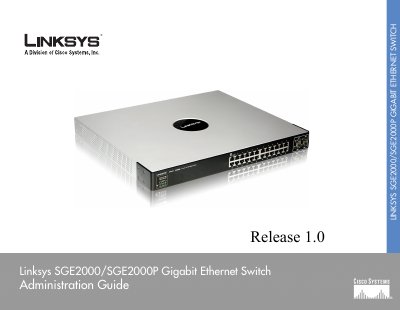
This guide provides detailed information on installing, configuring, and managing the Linksys SGE2000 and SGE2000P Gigabit Ethernet switches. It covers hardware overview, front and back panel descriptions, LED indicators, stacking, and power options.
The manual also explains console and web‑based configuration, security features such as RADIUS/TACACS+, PoE operation, and troubleshooting procedures for stack and hardware issues.
| Number of ports | 24 RJ‑45 ports (10/100/1000) plus 4 shared mini‑GBIC uplink ports |
|---|---|
| PoE support | IEEE 802.3af PoE on any of the 24 ports (SGE2000P only) |
| Switching capacity | 12.8 Gbps non‑blocking |
| Dimensions | 440 mm × 375 mm × 44 mm (17.32 × 14.70 × 1.73 in) |
The SGE2000 provides 24 RJ‑45 Ethernet ports.
Yes, the SGE2000P supports IEEE 802.3af PoE on any of its 24 ports.
Up to 8 units can be stacked, providing a total of 192 ports.
The switch operates from 0 °C to 40 °C (32 °F to 104 °F).