
Key facts
- Brand
- HP
- Model
- Photosmart 315
- Documents
- 2
- Languages
- EN
- Last added
- 2012-06-04
Start here
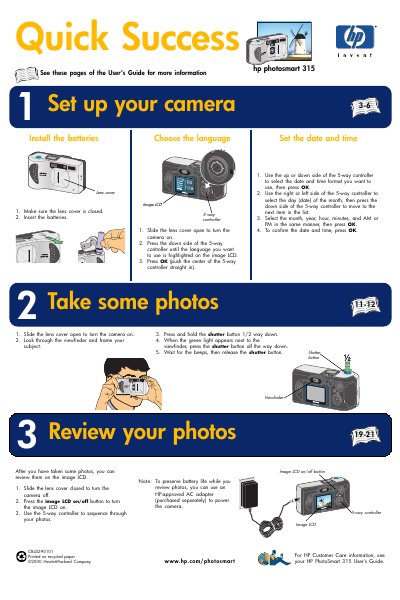
HP Photosmart 315 Quick Start Guide
Quick Start Guide 2 pages · 1 MB · EN
This guide provides basic setup steps for the HP Photosmart 315 digital camera. It covers battery insertion, memory card loading, and basic shooting functions.
Use the guide to get the camera ready quickly and start taking photos with minimal configuration.
HP Photosmart 315 specifications
| Sensor | 2.1 megapixels, 1/2.7" CCD |
|---|---|
| Color depth | 30‑bit |
| Memory card | CompactFlash Type I (all sizes supported) |
| Zoom | 1.5× optical, 2.5× digital |
| Shutter speed | 1/750 s to 2 s |
| ISO sensitivity | 100 |
| White balance | Auto |
| Self‑timer | 10 second delay |
All HP Photosmart 315 documents by type
User Manual 1
Day-to-day operation, settings and troubleshooting. Start here if the product is already set up.
Quick Start Guide 1
The shortest path to a working setup, usually only a few pages.
Questions answered in these manuals
How do I replace the batteries in the HP PhotoSmart 315?
Open the battery compartment, insert four AA batteries with the correct polarity, and close the compartment.
What type of memory card does the camera use?
The camera uses a CompactFlash Type I memory card; any size is supported.