
Key facts
Start here
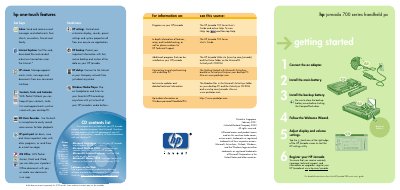
HP Jornada 700 Handheld PC Quick Start Card
This quick start card provides the essential steps to get your HP Jornada 700 handheld PC up and running. It walks you through connecting the AC adapter, installing the main and backup batteries, and using the Welcome Wizard to adjust display and volume settings.
The guide also explains how to register the device online, install Microsoft ActiveSync on a Windows PC, and connect the Jornada via cradle, serial or USB cable for data synchronization. Hardware features such as the infrared port, USB port, and various LEDs are listed for reference.
HP 700 Series specifications
| Serial port | present |
|---|---|
| USB port | Standard USB |
| Infrared port | present |
| Battery charging LED | present |
All HP 700 Series documents by type
The shortest path to a working setup, usually only a few pages.
Day-to-day operation, settings and troubleshooting. Start here if the product is already set up.
- HP OfficeJet 700 Series User Manual 40 p
- HP CP1700 Series Printer User Manual 85 p
- HP Color LaserJet 4700 Series Printer User Manual 316 p
- HP Photosmart 7700 Series Printer Basic Operating Instructions 188 p
- HP Photosmart C4700 Series Printer User Manual 114 p
- HP Deskjet 5700 Series Printer User Manual 98 p
Questions answered in these manuals
How do I install the main battery?
Install the main battery and close the backup battery cover before shutting the CompactFlash door.
How do I synchronize the Jornada with a PC?
Install Microsoft ActiveSync on your desktop PC, connect the cradle or sync cable, and follow the New Partnership Wizard prompts.
What should I do if printed pages have horizontal lines?
Print a self‑test page to check the ink cartridges; replace or clean the cartridges if ink is low or the nozzles are clogged.
Why does the scanned image show lines?
Make sure the scan/copy sleeve is clean and undamaged, and clean the scanner glass.
What is the document number for the HP Color LaserJet 4700 manual?
The document number is Q7491-90974.
How can I contact HP support for the Color LaserJet 4700?
You can call 1-800-538-8787 (MEA) or 1-800-387-3154 (MEA).